
10 ActiveCampaign Automations Every Small Business Should Build
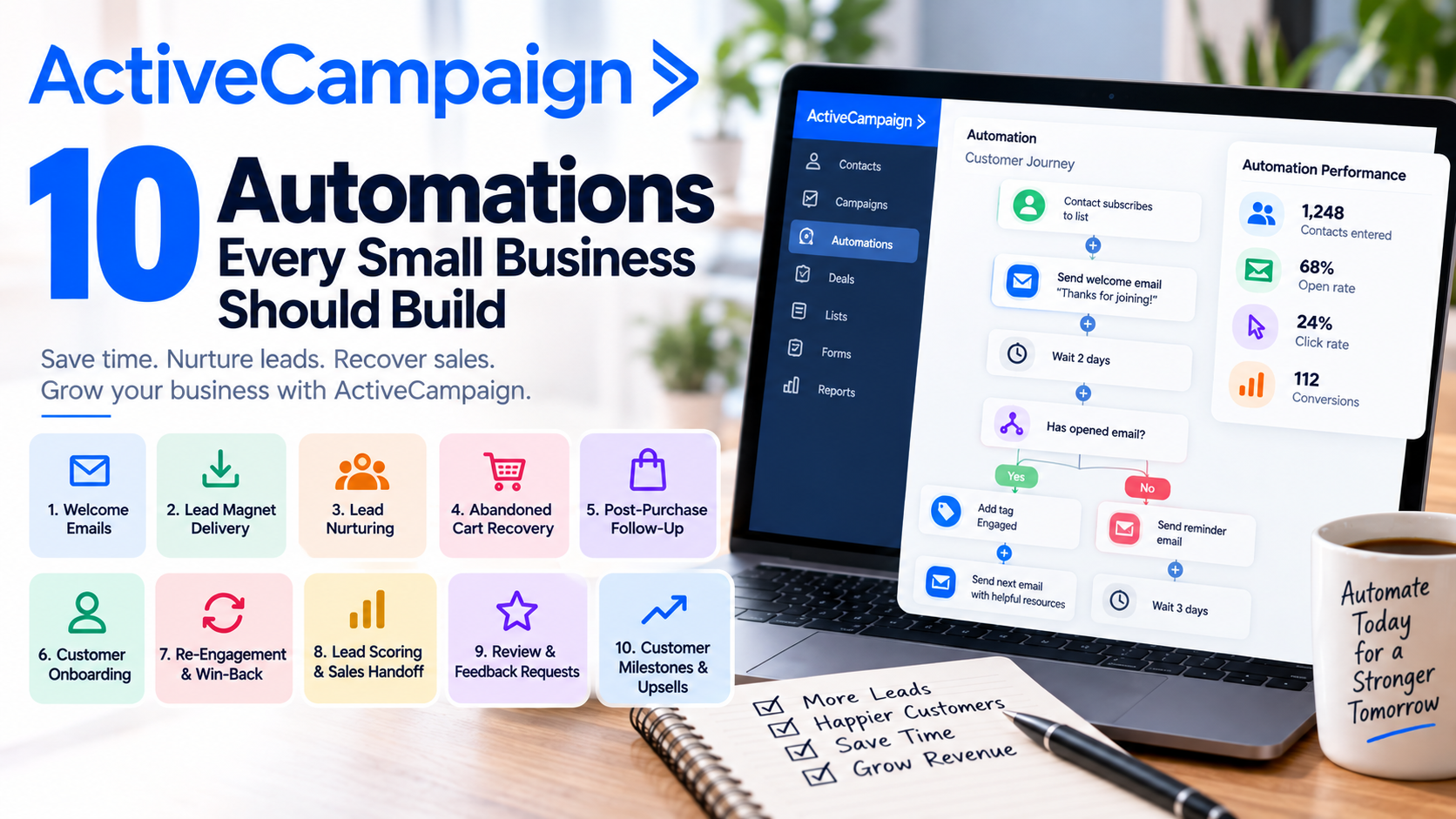
Marketing automation can sound like something designed for large companies with complicated funnels and dedicated marketing departments.
It doesn't have to be.
For a small business, automation is really about one thing: doing important repetitive work consistently without having to remember it every time.
That's one of the biggest reasons I like ActiveCampaign. Its automation builder lets businesses combine triggers, actions, waits, conditions, emails, tags, scoring, CRM activities, and other steps into workflows that respond to what customers actually do. The platform also offers more than 200 automation recipes through its Marketplace, making it easier to get started without building everything from scratch.
But which automations should you actually build?
Here are ten I'd prioritize.
1. The Welcome Automation
This is the first automation almost every small business should create.
When someone subscribes to your newsletter, downloads a resource, creates an account, or otherwise joins your list, don't make them wait until your next newsletter to hear from you.
Send a welcome email immediately.
A simple workflow might look like:
Contact subscribes → Welcome email → Wait two days → Helpful resource → Wait three days → Introduce your product or service.
The goal isn't to immediately bombard someone with sales messages. It's to introduce your business, set expectations, and give the new subscriber a reason to continue paying attention.
ActiveCampaign specifically uses a welcome email after a contact joins a list as an example of building an automation from scratch.
2. Lead Magnet Delivery
If you offer an ebook, checklist, template, guide, or other downloadable resource, don't manually send it every time someone completes your form.
Automate it.
Someone requests your guide, and the system immediately delivers it.
But don't stop there.
The download can trigger a short nurturing sequence related to the topic.
For example, someone downloads:
"The Small Business Guide to Email Marketing."
A few days later, they receive another useful email about building their first campaign. After that, you might introduce your email marketing service.
You're turning one download into an ongoing conversation.
3. Lead Nurturing
Not every prospect is ready to buy today.
That's completely normal.
A good nurture automation keeps your business visible without requiring someone on your team to manually follow up every week.
You might create a five-email sequence containing educational content, answers to common questions, customer success stories, product information, and eventually an invitation to schedule a consultation.
The important part is providing value rather than repeatedly saying:
"Are you ready to buy yet?"
ActiveCampaign recommends smaller, manageable automations rather than building one enormous workflow, which is good advice for small businesses starting with nurturing campaigns.
4. Abandoned Cart Recovery
If you run an ecommerce business, this should be near the top of your list.
Someone visits your store, adds a product to their cart, and leaves without purchasing.
Without automation, that's probably the end of the story.
With an abandoned-cart workflow, the customer's action can trigger a reminder email showing the products they left behind and giving them a route back to their cart.
ActiveCampaign currently supports abandoned-cart automations through Shopify, WooCommerce, Magento, and compatible custom Deep Data integrations.
You could send one reminder shortly after abandonment and another later if the purchase still hasn't been completed.
Just don't overdo it.
The objective is a helpful reminder, not harassment.
5. Post-Purchase Follow-Up
Automation shouldn't end when someone becomes a customer.
In many businesses, that's when it becomes even more valuable.
A purchase can trigger an automated workflow in ActiveCampaign, allowing you to thank the customer, begin onboarding, request feedback, or introduce relevant complementary products.
Imagine someone buys a coffee machine.
Immediately: Thank you and order information.
Three days later: How to get the best results from your machine.
Two weeks later: How are you enjoying it?
One month later: Need more coffee beans?
The original transaction becomes the beginning of the customer relationship rather than the end.
6. Customer Onboarding
This is one of my favorite automations for service businesses, consultants, SaaS companies, and agencies.
Every new customer probably needs similar information.
Instead of manually sending the same instructions repeatedly, create an onboarding sequence.
For a consultant, that might include:
Welcome → Complete intake form → Schedule kickoff meeting → Upload documents → What to expect next.
For software:
Welcome → Set up account → Complete first important action → Explore feature #2 → Invite your team.
Timing matters here. ActiveCampaign notes that onboarding messages are most useful when they're delivered shortly after someone signs up rather than weeks later.
The customer gets a consistent experience while your team saves time.
7. Re-Engagement and Win-Back
Eventually, some subscribers stop opening emails.
Some customers stop buying.
Instead of continuing to send them the same messages indefinitely, create a re-engagement workflow.
You could identify contacts who haven't engaged within a defined period and automatically send something like:
"Still interested?"
Then provide useful content, highlight what's changed, ask them to update their preferences, or offer a reason to return.
The platform's newer Active Intelligence automation capabilities can also help draft workflows such as re-engagement and win-back sequences.
If someone remains completely inactive, you can then decide whether they should remain in your regular marketing audience.
8. Lead Scoring and Sales Handoff
This is where automation becomes especially powerful.
Not every lead deserves immediate attention from your sales team.
Someone who downloaded one ebook probably isn't as valuable as someone who repeatedly visits your website, engages with emails, requests pricing information, and schedules a demo.
Scoring helps distinguish between them.
You can award points based on behaviors and use score changes to trigger additional workflows. With the appropriate CRM functionality, reaching a score threshold can trigger actions such as creating a deal or notifying sales.
The result is simple:
Marketing nurtures → prospect shows buying intent → score increases → sales follows up.
Your team spends more time talking to people who are actually showing interest.
9. Review and Feedback Requests
Happy customers can become one of your strongest marketing channels.
The problem is that small businesses often forget to ask for reviews.
Automation solves that.
After a purchase, completed appointment, project, or another successful customer milestone, wait an appropriate amount of time and automatically ask for feedback.
For example:
Purchase completed → Wait 14 days → "How was your experience?"
Depending on your business and workflow, positive customers can then be directed toward leaving a public review, while dissatisfied customers can be routed toward an internal feedback process.
This gives you an opportunity to collect useful information while making review requests a consistent part of the customer journey.
10. Customer Milestone and Upsell Automation
Your existing customers already know your business.
Don't ignore them while constantly chasing new leads.
Create automations around meaningful customer milestones.
A customer purchases Product A? Introduce Product B later.
A subscriber reaches six months? Send a thank-you message.
A client completes a service? Introduce the logical next service.
A customer renews? Trigger an appreciation email.
Event Tracking in ActiveCampaign can also use activities such as signups, orders, upgrades, downgrades, cancellations, and billing events to trigger workflows when properly implemented.
That creates opportunities to automate customer retention and expansion—not just acquisition.
Don't Build All 10 at Once
Seeing these possibilities makes it tempting to spend an entire weekend building an enormous automation machine.
I wouldn't.
Start with the workflows closest to revenue or customer experience.
For many businesses, I'd begin with:
Welcome → Lead nurture → Customer onboarding → Re-engagement.
For ecommerce:
Welcome → Abandoned cart → Post-purchase → Win-back.
Once those workflows are working, add more sophistication.
It's also worth remembering that available automation actions vary by plan. For example, the Starter plan currently limits automations to five actions, while higher tiers provide broader automation capabilities.
Final Thoughts
The real value of ActiveCampaign isn't simply that it can send automated emails.
It's that you can build systems that react to what customers actually do.
Someone subscribes? Welcome them.
Someone downloads a guide? Nurture them.
Someone abandons their cart? Remind them.
Someone buys? Onboard them.
Someone becomes highly engaged? Alert sales.
Someone disappears? Try to win them back.
That's what good automation should feel like.
The customer receives a more timely and relevant experience, while your business spends less time manually managing repetitive tasks.
And for a small business with limited time and limited staff, that combination can be incredibly valuable.
If you need help setting up ActiveCampaign, get in touch with me.