
ActiveCampaign Features Explained: What Can You Actually Do?
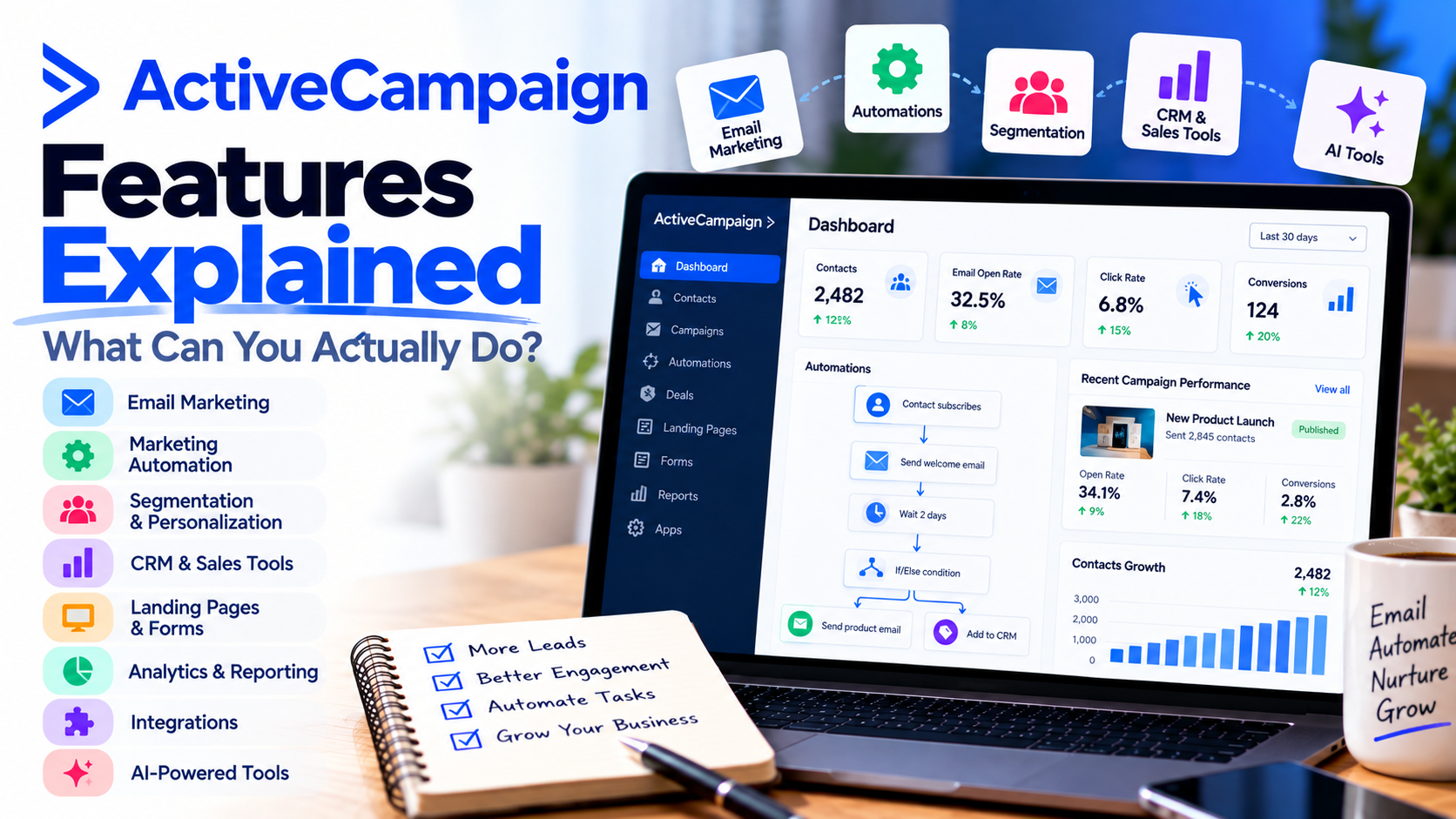
If you've been researching email marketing software, you've probably come across ActiveCampaign.
At first glance, it might look like another platform for sending newsletters and promotional emails.
But there's much more happening behind the scenes.
ActiveCampaign combines email marketing, marketing automation, customer segmentation, AI-powered tools, and customer relationship management capabilities to help businesses communicate with customers more effectively.
Instead of manually sending emails, following up with leads, and organizing customer information, you can automate many of these activities.
But what can you actually accomplish with the platform?
In this guide, I'll explain the most important ActiveCampaign features, how they work, and how businesses can use them in everyday situations.
1. Create Professional Email Marketing Campaigns
Let's start with one of the most popular features: email marketing.
ActiveCampaign allows you to create, design, and send email campaigns without needing advanced technical skills.
Its email designer lets you build messages using customizable layouts, images, buttons, and other content elements.
You can use it to send:
Weekly email newsletters.
Product announcements and promotions.
Educational content and company updates.
Event invitations.
Customer appreciation emails.
For example, imagine you own an online clothing store.
You could create a newsletter announcing your newest products, include images, and add buttons directing subscribers to your website.
Instead of designing every message from scratch, you can reuse templates and maintain consistent branding.
Why it matters: You can communicate professionally with your audience without needing a separate email design tool.
2. Automate Your Marketing with Customer Journeys
This is where ActiveCampaign becomes especially interesting.
Marketing automation allows you to create workflows that perform actions automatically when specific conditions are met.
For example, imagine someone subscribes to your newsletter.
Instead of manually welcoming that person, you could create an automated sequence:
Day 1: Send a welcome email introducing your business.
Day 3: Share helpful educational content.
Day 5: Introduce your most popular product or service.
Day 8: Send a follow-up based on the subscriber's interests.
Once activated, the workflow can run automatically for eligible contacts.
The platform's visual automation builder supports triggers, waiting periods, conditions, and different actions depending on your subscription.
You can also create more advanced workflows that respond to purchases, website activity, or email engagement.
Why it matters: Your business can maintain consistent customer communication without manually managing every interaction.
3. Segment Your Email List for Better Targeting
One mistake businesses often make is sending identical messages to every subscriber.
But not every customer has the same interests.
ActiveCampaign includes segmentation tools that help you organize contacts into more relevant audiences.
You can create segments using information such as:
Location and demographic details.
Purchase history.
Email engagement.
Website activity.
Customer interests.
Tags and custom fields.
Imagine you operate an online fitness store.
Some customers are interested in running equipment, while others prefer strength-training products.
Instead of sending everyone the same promotion, you could create separate campaigns for each group.
Someone interested in running might receive information about running shoes, while another subscriber receives offers for resistance bands.
Why it matters: More relevant emails can improve customer engagement and reduce unnecessary messaging.
4. Personalize Emails with Dynamic Content
Personalization goes beyond including someone's first name.
With ActiveCampaign, you can customize email content using information stored in your contact database.
For example, you might personalize a message using a customer's name, location, interests, or previous purchases.
More advanced conditional content features allow different subscribers to see different content within a campaign.
Imagine you're promoting a webinar.
Existing customers could receive a message explaining how to get more value from your services, while new prospects receive an introduction to your business.
Both audiences can receive messaging tailored to their relationship with your company.
Why it matters: Personalized communication helps make automated marketing feel more relevant and less generic.
5. Build Landing Pages and Capture Leads
Email marketing starts with having people to email.
ActiveCampaign provides forms and, on eligible plans, landing page tools to help businesses capture new contacts.
For example, imagine you're a consultant offering a free guide titled "10 Ways to Improve Your Business Productivity."
You could create a landing page describing the guide and include a form where visitors enter their email addresses.
When someone signs up, their information can be added to your contact database and an automated welcome sequence can begin.
You can use landing pages for lead magnets, event registrations, promotional offers, and other marketing campaigns.
Why it matters: You can connect lead capture directly to your email marketing workflows.
6. Manage Sales Leads with CRM Features
Email marketing is only part of the customer journey.
Some businesses also need a way to track leads and sales opportunities.
ActiveCampaign offers CRM capabilities through its sales-focused features and available add-ons.
Depending on your plan, these tools can help you manage contacts, track deals, organize sales pipelines, and automate sales-related tasks.
For example, a consulting business might use a pipeline with these stages:
New lead.
Initial consultation.
Proposal sent.
Negotiation.
Deal closed.
Instead of tracking every opportunity in a spreadsheet, the team can manage its sales process within the CRM.
Marketing and sales activities can also work together, helping teams understand how prospects interact with campaigns.
Why it matters: Businesses can connect customer communication with sales follow-up and opportunity management.
7. Identify Promising Prospects with Lead Scoring
Not every lead is equally interested in your business.
Some people subscribe to your newsletter and never interact again.
Others regularly visit your website, click emails, and request additional information.
Lead scoring helps businesses identify contacts who may be more engaged or closer to making a purchase.
With eligible ActiveCampaign features, you can assign scores based on actions or characteristics.
For example:
Opening an email: +2 points.
Clicking a product link: +5 points.
Visiting a pricing page: +10 points.
Requesting a consultation: +20 points.
These are illustrative scoring rules, not required platform defaults.
A sales representative could prioritize contacts with higher scores instead of contacting everyone in the same order.
Why it matters: Lead scoring can help sales teams focus attention on prospects showing stronger buying signals.
8. Use AI to Create and Optimize Campaigns
Artificial intelligence is becoming an increasingly important part of marketing software.
ActiveCampaign offers AI-powered capabilities through its Active Intelligence tools.
These include features such as AI-assisted campaign creation, content generation, suggested audience segments, and automation assistance.
For example, you could describe a campaign goal, such as promoting a new service, and use AI tools to help create a draft email.
You can then review and customize the content before publishing.
Another feature is predictive sending, available on eligible plans.
It uses engagement data to estimate when individual subscribers may be more likely to interact with emails.
These tools don't eliminate the need for marketing strategy, but they can reduce repetitive work.
Why it matters: AI can help businesses create campaigns faster and make more informed marketing decisions.
9. Connect Your Ecommerce Store
If you operate an online store, ActiveCampaign can integrate with ecommerce platforms such as Shopify and WooCommerce.
These integrations can help you use customer and purchase information in marketing campaigns.
For example, you might create workflows that:
Welcome first-time customers.
Follow up after a purchase.
Recommend related products.
Re-engage customers who haven't purchased recently.
Send abandoned-cart reminders when supported by your integration and plan.
Imagine someone purchases a coffee machine from your store.
A few days later, you could send an email explaining how to maintain the machine, followed by recommendations for compatible accessories.
This approach connects marketing with the customer's actual purchasing experience.
Why it matters: Ecommerce businesses can create more relevant communication throughout the customer lifecycle.
10. Track Campaign Performance with Analytics
How do you know whether your marketing campaigns are working?
ActiveCampaign includes reporting tools that help you evaluate performance.
Depending on your plan and setup, you can examine metrics such as email opens, clicks, campaign engagement, and automation performance.
Advanced reporting and attribution features are available on higher-tier plans.
For example, imagine you send two promotional emails.
One generates significantly more clicks than the other.
You could investigate whether the difference came from the subject line, audience segment, content, or call to action.
Over time, these insights can help improve your campaigns.
Why it matters: Reporting allows you to make marketing decisions using performance data rather than relying entirely on assumptions.
11. Connect Other Business Tools
Most businesses already use several software platforms.
Fortunately, ActiveCampaign supports integrations with hundreds of business applications.
These include ecommerce platforms, website tools, scheduling applications, CRM systems, and automation services.
For example, you might connect your website's contact form to your email marketing workflows or synchronize information between your marketing platform and another business application.
This reduces the need to manually transfer information between systems.
Why it matters: Integrations help businesses create more connected workflows across their existing software.
Which ActiveCampaign Features Are Included in Each Plan?
One important consideration is that not every feature is available on every subscription.
Here's a simplified overview of the platform's main plan levels.
PlanMain focusStarterEmail campaigns, forms, basic automation, and reportingPlusMore advanced automation, landing pages, and additional marketing toolsProfessionalAdvanced segmentation, predictive sending, conditional content, and enhanced reportingEnterpriseAdvanced security, premium reporting, and additional enterprise capabilities
CRM enhancements, SMS, transactional email, and certain other capabilities may require separate add-ons or additional subscriptions.
The Starter plan also limits automations to five actions per workflow.
Before subscribing, review the latest feature availability to make sure the tools you need are included.
Who Should Use ActiveCampaign?
I think the platform is particularly useful for businesses that want to do more than send occasional newsletters.
Small businesses can automate welcome emails, promotions, and customer follow-ups.
Consultants and coaches can build lead nurturing sequences and manage client communication.
Ecommerce businesses can personalize marketing using purchase history and customer behavior.
Marketing agencies can create automated campaigns and manage more sophisticated customer journeys.
Growing sales teams can connect marketing activities with CRM workflows and lead management.
However, businesses that only need a simple newsletter service may find some of the advanced features unnecessary.
Final Thoughts: Is ActiveCampaign Worth Exploring?
After looking at its capabilities, it's clear that ActiveCampaign offers much more than basic email marketing.
You can build professional campaigns, automate customer journeys, segment audiences, personalize messages, capture leads, and analyze marketing performance.
With eligible plans and add-ons, you can also manage sales opportunities, use predictive tools, and create more advanced multichannel experiences.
For me, the biggest advantage is the ability to connect these activities.
Instead of treating email marketing, lead nurturing, and customer engagement as separate tasks, you can build workflows that support the entire customer journey.
Of course, more functionality also means there's a learning curve, and some features require higher-priced plans.
But if you're looking for a platform that can grow alongside your business, it's worth considering.
The real value isn't simply sending more emails. It's creating smarter, more relevant customer experiences without manually managing every step.
If you're ready to explore the features for yourself, start your ActiveCampaign free trial and see how its marketing tools fit your business.
If you need help setting up ActiveCampaign, get in touch with me.