
How to Organize Your Entire Business with ClickUp
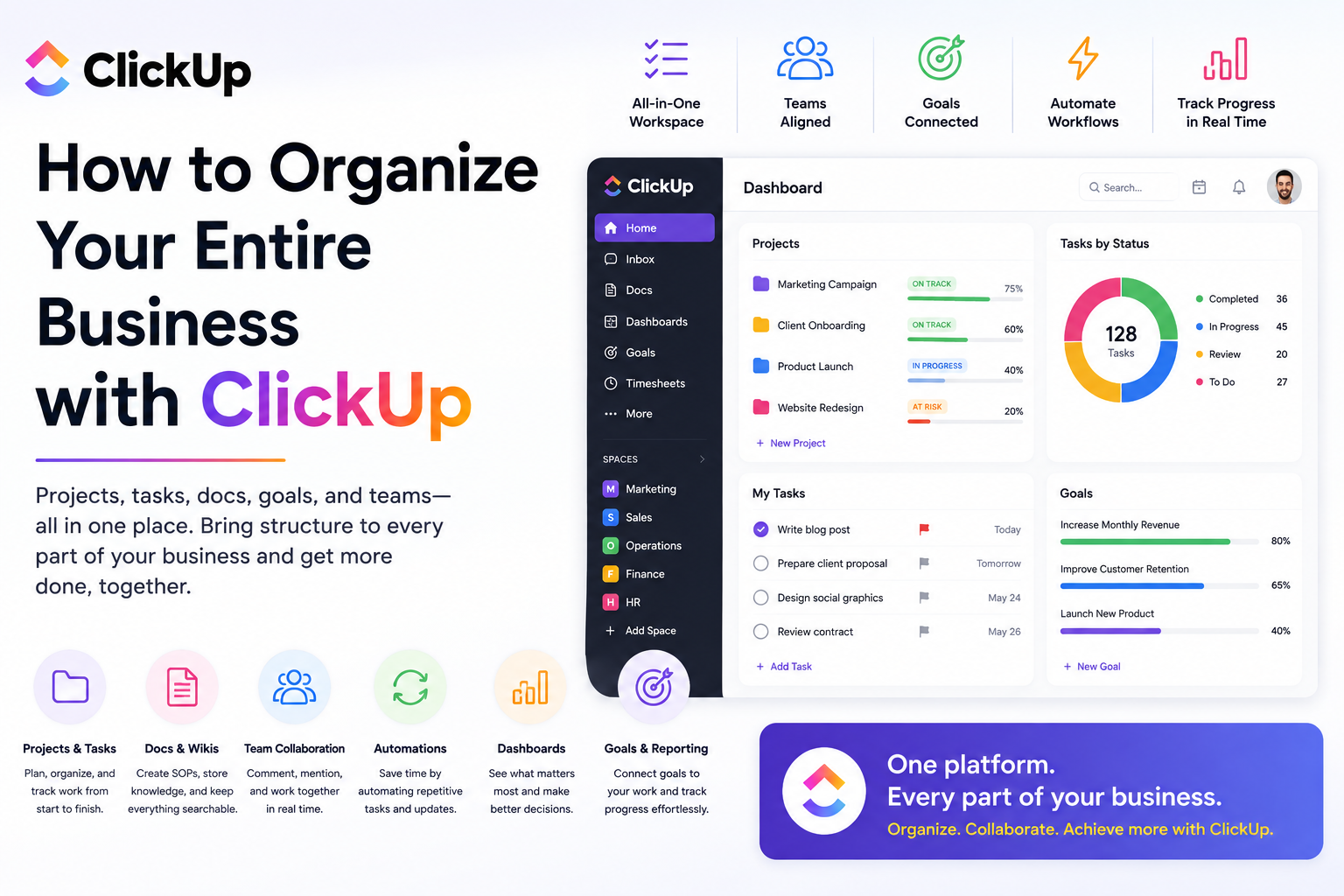
Running a growing business often means running a growing collection of software.
Your projects live in one platform. Documents are somewhere else. Employees communicate through email and chat. Marketing has its own spreadsheets. Sales has a CRM. Someone is tracking recurring tasks in a document nobody has updated in six months.
Before long, simply figuring out where information lives becomes part of the work.
That's one reason I like ClickUp.
Instead of thinking about it as another task management application, I prefer to think of it as a central workspace where businesses can organize projects, processes, documentation, goals, and day-to-day responsibilities.
Here's how I'd structure an entire business inside ClickUp.
Start With Your Business Structure
The biggest mistake you can make when implementing ClickUp is immediately creating hundreds of tasks.
Start with the structure first.
Think about the major functions within your company.
For example, your workspace might include areas for:
Marketing
Sales
Operations
Finance
Human Resources
Customer Success
Product Development
Leadership
Each department can then contain its own projects, workflows, documentation, and recurring responsibilities.
A small business obviously doesn't need eight departments. A consultant might only need Clients, Marketing, Administration, and Finance.
The goal isn't complexity.
It's creating a structure that reflects how your business actually operates.
Turn Projects Into Repeatable Workflows
Once your organizational structure exists, start moving recurring work into ClickUp.
Let's say your marketing team publishes blog articles.
Instead of someone remembering every step, create a standardized workflow:
Idea → Keyword Research → Writing → Editing → Design → Approval → Published → Promotion
Every article follows the same process.
You can assign owners, establish due dates, add checklists, attach files, and monitor progress.
The same concept can be applied throughout the company.
Client onboarding might become:
Contract Signed → Kickoff → Account Setup → Implementation → Training → Go Live
The more repeatable your processes become, the less your company depends on employees remembering what happens next.
Build Your SOP Library
One of my favorite ways to use ClickUp is for Standard Operating Procedures.
Every growing business accumulates institutional knowledge.
Someone knows how invoices are processed.
Someone else knows how new customers are onboarded.
Another employee knows exactly how monthly reporting works.
The problem occurs when that knowledge exists only inside people's heads.
Using Docs, you can create a centralized SOP library covering processes such as:
Employee onboarding
Client onboarding
Marketing campaigns
CRM management
Reporting
Billing
Website publishing
Quality assurance
Even better, documentation can live alongside the work it supports.
When an employee receives a task they haven't completed before, the relevant SOP can be linked directly inside it.
That's far better than asking, "Where's that Google Doc again?"
Create Templates for Recurring Work
Once you've documented a process, don't rebuild it every time.
Turn it into a template.
Imagine your agency signs a new client.
Instead of manually creating 25 onboarding tasks, your team launches a predefined template containing everything required.
Tasks can already include:
Instructions
Checklists
Owners
Dependencies
Custom fields
Due-date structures
Templates are especially valuable for businesses that perform similar work repeatedly.
Think onboarding, audits, campaigns, monthly reporting, content production, hiring, and project launches.
You're essentially turning your best processes into reusable systems.
Automate the Busywork
This is where ClickUp becomes much more than a digital to-do list.
Automations can handle repetitive administrative actions.
For example:
When a task changes to Ready for Review, automatically assign it to the manager.
When a project becomes Completed, notify the account manager.
When a new lead enters a particular workflow, create a follow-up task.
When a due date approaches, trigger a reminder.
Individually, these actions may only save a few minutes.
Across hundreds or thousands of tasks every year, they add up quickly.
Give Leadership Better Visibility
As businesses grow, leadership often encounters a frustrating problem:
You know everyone is busy, but you don't necessarily know what's getting done.
A properly configured ClickUp workspace gives managers much better visibility into work across the organization.
Dashboards can help monitor areas such as:
Active projects
Overdue tasks
Workload
Campaign progress
Team performance
Client deliverables
Upcoming deadlines
Instead of scheduling another meeting just to ask for status updates, managers can review the workspace.
Meetings can then focus on decisions and problems rather than simply collecting information.
Manage Goals Alongside Execution
There's often a disconnect between company goals and everyday work.
Leadership says:
"We want to increase customer retention."
But what does that mean for employees on Monday morning?
Using ClickUp, businesses can connect larger objectives with the projects and tasks designed to accomplish them.
Your annual objective might be improving customer retention.
Supporting initiatives could include:
Redesigning onboarding
Launching customer education
Improving support response times
Creating renewal campaigns
Those initiatives then break down into projects and individual responsibilities.
Strategy becomes connected to execution.
Use One Source of Truth
Perhaps the biggest benefit of organizing your company in ClickUp isn't any individual feature.
It's consolidation.
Instead of constantly asking:
"Where is that file?"
"Who's responsible for this?"
"When is that due?"
"What's the status?"
"Do we have an SOP?"
...your team has one logical place to start looking.
That doesn't mean ClickUp needs to replace every application your company uses.
Your CRM may still manage customers. Your accounting platform manages finances. Your cloud storage manages certain files.
The goal is to make your workspace the operational layer connecting the work together.
Don't Overbuild It
There's one warning I'd give anyone implementing ClickUp:
Don't create complexity simply because the platform allows you to.
You don't need 30 statuses.
You don't need 50 custom fields.
You don't need an automation for every possible scenario.
Start simple.
Build around your most important workflows first, get employees comfortable using the system, and expand gradually.
A simple workspace people actually use is infinitely more valuable than an elaborate workspace everyone avoids.
Final Thoughts
Organizing an entire business isn't really about organizing tasks.
It's about organizing how work happens.
Your projects, responsibilities, documentation, processes, deadlines, and goals should all connect logically.
That's what makes ClickUp so useful.
It can start as a simple project management tool for a small team and gradually evolve into the operational backbone of a much larger organization.
If your business currently relies on scattered spreadsheets, disconnected documents, endless email threads, and employees trying to remember what happens next, ClickUp is worth exploring.
The objective isn't to put more software into your business.
It's to create one organized system that helps your business run better.
If you need help setting up ClickUp, get in touch with me.