
HubSpot for WooCommerce Integration: Everything You Need to Know
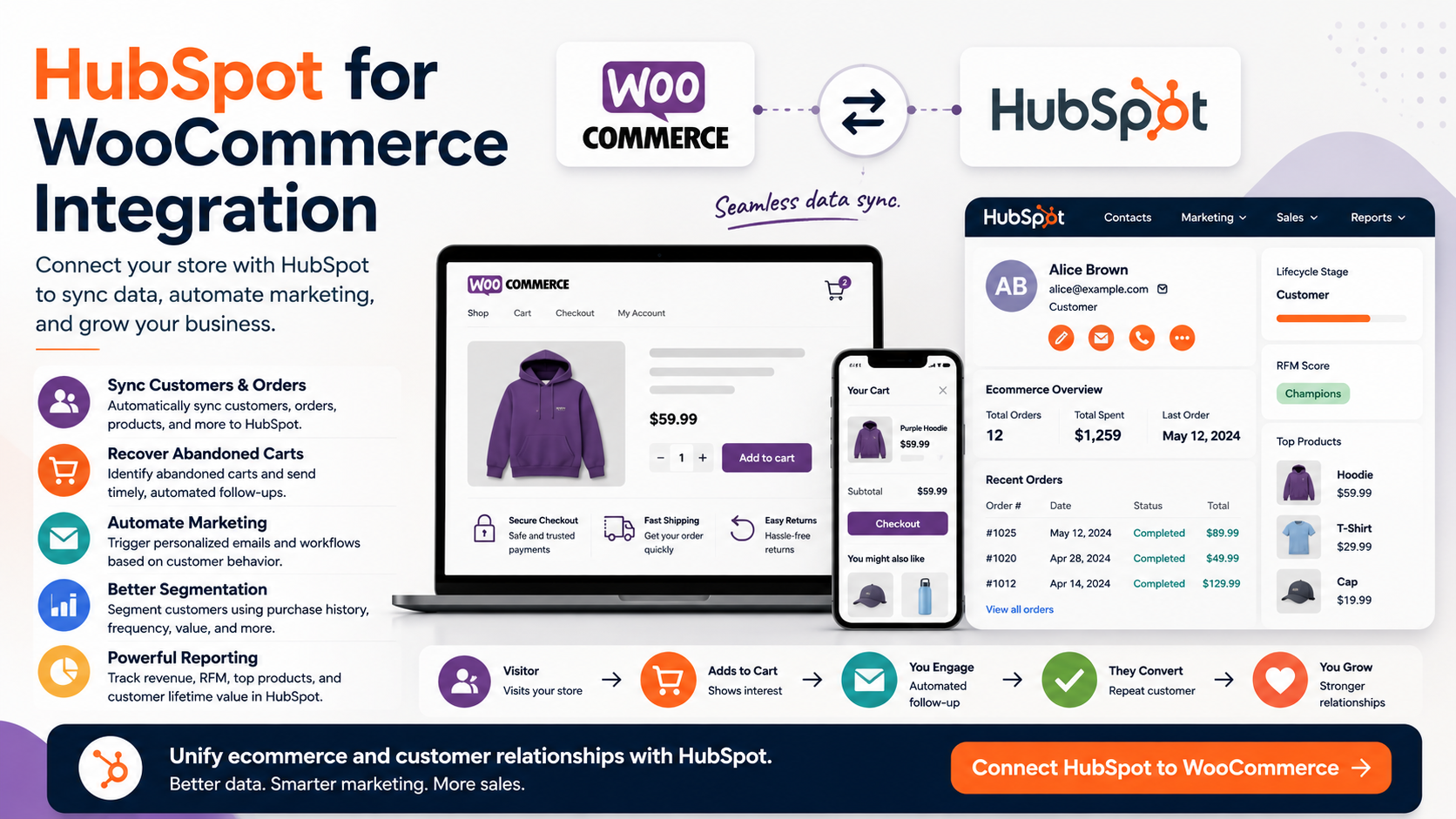
WooCommerce is fantastic at helping businesses sell products online.
But as your ecommerce business grows, simply processing orders isn't enough.
You need to understand who your customers are, what they're buying, how frequently they purchase, which customers are becoming more valuable, and which shoppers are leaving products behind without completing checkout.
That's where connecting WooCommerce with HubSpot becomes interesting.
Instead of treating your ecommerce store and CRM as two separate systems, the integration can bring WooCommerce customer and order information into your CRM, opening the door to better segmentation, automation, abandoned-cart campaigns, reporting, and customer lifecycle marketing.
If you're already running WooCommerce—or considering it—here's what you should know.
What Is the HubSpot for WooCommerce Integration?
At its simplest, the integration connects the customer and ecommerce activity happening inside WooCommerce with your CRM.
One popular certified WooCommerce integration available through the marketplace is WooCommerce by MakeWebBetter. It can automatically sync WooCommerce users, orders, and product data into the CRM. Order information can be represented as deals, while customer activity and ecommerce information can become part of the customer's profile.
That distinction is important.
Your online store continues doing what it's good at:
Selling products.
Your CRM can then help you do what it's good at:
Understanding and communicating with customers.
Instead of customer information remaining trapped inside your ecommerce platform, your marketing and sales teams gain a much richer view of what's actually happening.
Bring Your Ecommerce Data Into One CRM
This is probably the biggest reason I'd consider the integration.
Imagine someone purchases from your WooCommerce store.
Without a CRM integration, their information may primarily exist as an ecommerce customer and order record.
With WooCommerce connected to HubSpot, you can bring relevant ecommerce data into the same environment where you're managing marketing and customer relationships.
The MakeWebBetter integration supports syncing WooCommerce users, orders, and products, including historical data synchronization.
That means your team can potentially see a much more complete customer picture rather than jumping between systems.
And once that data exists inside your CRM, things get much more interesting.
Build Better Customer Segments
Not every ecommerce customer should receive the same marketing.
Someone who purchased yesterday shouldn't necessarily receive the same message as someone who hasn't purchased in six months.
Likewise, a customer who has spent $2,000 with your company probably deserves different treatment than someone who purchased a $15 item once.
WooCommerce integrations available in the marketplace can support segmentation based on ecommerce behavior. The MakeWebBetter integration, for example, includes RFM ratings—Recency, Frequency, and Monetary information—for contacts.
That opens up segmentation possibilities such as:
First-time customers
Repeat customers
High-value customers
Recent buyers
Inactive customers
Customers interested in specific products
Customers who abandoned their carts
Instead of sending one newsletter to everyone, your ecommerce marketing becomes considerably more targeted.
Recover Abandoned Carts
This is one of the most compelling ecommerce use cases.
Someone visits your store.
They find a product.
They add it to their cart.
And then...
They leave.
Every ecommerce business deals with abandoned carts, but the real opportunity is what happens afterward.
WooCommerce integrations in the marketplace can sync abandoned-cart information so it can be used for recovery campaigns. For example, MakeWebBetter lists abandoned-cart tracking and recovery among its capabilities, while Unific can sync abandoned-cart data at both contact and deal levels.
Once that information is available inside HubSpot, it can become part of a broader customer journey.
For example:
Cart abandoned → wait → send reminder → monitor engagement → follow up.
That's significantly more scalable than manually trying to recover lost sales.
Automate the Customer Journey
This is where I think the integration becomes much more powerful than simply "syncing WooCommerce with a CRM."
Once ecommerce activity becomes usable customer data, you can start designing automations around customer behavior.
Imagine workflows such as:
New customer:
Purchase → Welcome email → Product education → Review request → Cross-sell
Repeat customer:
Purchase → Thank-you message → Loyalty offer → Product recommendation
Inactive customer:
No purchase for 120 days → Re-engagement email → Special offer
High-value customer:
Customer reaches spending threshold → VIP segment → Exclusive campaign
Instead of your marketing team manually identifying these customers, the data and automation infrastructure can do much of the heavy lifting.
That's one of the biggest advantages of combining ecommerce with HubSpot.
You're no longer simply storing customer data.
You're acting on it.
Create More Personalized Marketing
Personalization doesn't have to mean putting someone's first name in an email.
Real personalization is about relevance.
If you know what someone purchased, when they purchased, how often they purchase, and how much they've spent, you can create much more relevant customer experiences.
For example, you could create campaigns around:
Product categories
Purchase history
Customer value
Time since last purchase
Abandoned carts
Repeat purchases
Upsell opportunities
Cross-sell opportunities
Some marketplace integrations go even further. Unific, for example, supports syncing products, variants, abandoned carts, and RFM information, which can be used to create more granular segmentation.
The result is marketing that feels less like broadcasting and more like an ongoing customer conversation.
Improve Your Ecommerce Reporting
Another reason I like the idea of connecting WooCommerce with HubSpot is visibility.
Ecommerce platforms are naturally good at showing orders and revenue.
But marketers often want answers to broader questions:
Which customers are most valuable?
Which contacts are becoming repeat buyers?
Which campaigns are influencing purchases?
How are customers moving through our lifecycle?
Which segments should we target next?
The MakeWebBetter integration specifically includes ecommerce analytics alongside customer profiles, segmentation, order syncing, and RFM ratings.
Connecting ecommerce activity with your customer platform can therefore help bridge the gap between transactions and relationships.
Do You Need a Paid Plan?
This depends on what you want to accomplish.
Interestingly, the WooCommerce by MakeWebBetter marketplace listing currently shows a $0 plan that includes WooCommerce data synchronization, abandoned-cart capabilities, segmentation, RFM ratings, customer profiles, and ecommerce analytics. HubSpot notes that marketplace pricing is provided by partners and can change, so you should always verify current pricing and requirements before implementing it.
More sophisticated marketing automation, reporting, CRM, or other functionality may depend on the specific products and subscriptions you use.
That's why I'd recommend defining your desired customer journey first.
Don't buy software and then figure out what to do with it.
Figure out what you want to automate—and then choose the technology required to support it.
Who Should Consider This Integration?
I'd especially consider WooCommerce + HubSpot if you're:
Growing a WooCommerce store
Building a serious email marketing program
Trying to recover abandoned carts
Looking to improve customer segmentation
Managing repeat customers
Building lifecycle marketing campaigns
Trying to consolidate customer data
Looking for better visibility into customer behavior
For a tiny store processing only a handful of orders, you may not need sophisticated CRM automation yet.
But as order volume and customer complexity increase, having a central customer platform becomes much more valuable.
WooCommerce Runs the Store. HubSpot Helps Build the Relationship.
This is ultimately how I'd think about the integration.
WooCommerce handles the ecommerce engine:
Products → Cart → Checkout → Orders
Your customer platform handles the relationship:
Contacts → Segmentation → Marketing → Automation → Retention
Connecting the two means a purchase doesn't have to be the end of the customer journey.
It can be the beginning.
Final Thoughts
A successful ecommerce business isn't built solely by acquiring more customers.
It's also built by understanding the customers you already have and creating reasons for them to return.
That's why the WooCommerce integration with HubSpot is worth considering.
Instead of keeping your ecommerce data isolated inside your store, you can bring customer, order, product, and behavioral information into a platform designed around managing customer relationships.
That can lead to smarter segmentation, better customer profiles, automated lifecycle marketing, abandoned-cart recovery, and ultimately a more connected ecommerce operation.
If you're already using WooCommerce and want to take your customer marketing beyond basic order confirmations and newsletters, HubSpot gives you a compelling next step.
Because ecommerce isn't only about generating the first transaction.
It's about building the relationship that creates the next one.
If you need help setting up Hubspot, get in touch with me.