
What is HubSpot?
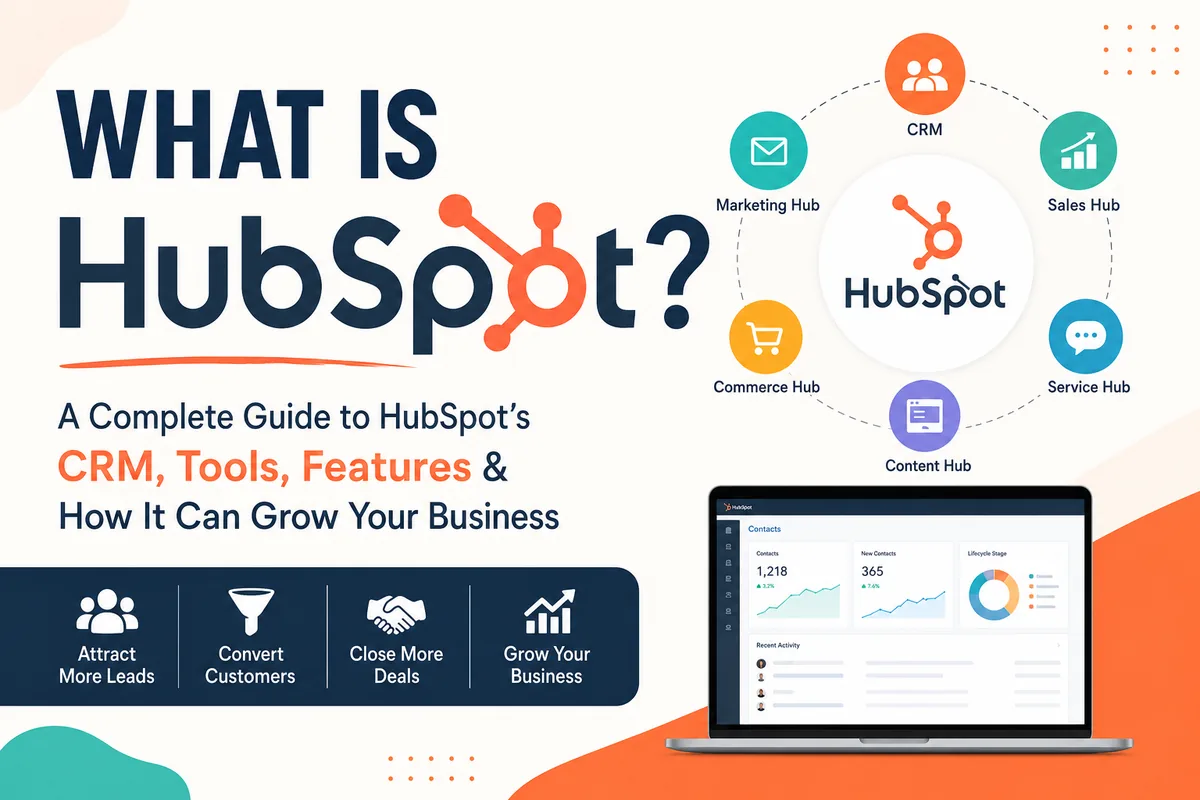
If you have spent any time looking into CRM software, email marketing tools, sales automation, landing page builders, website software, or business growth platforms, you have probably come across HubSpot.
But what is HubSpot, really?
At its simplest, HubSpot is a customer platform that helps businesses manage their marketing, sales, customer service, website, content, reporting, automation, and customer data in one connected place. Instead of using ten disconnected tools to capture leads, send emails, manage deals, book meetings, build landing pages, track website activity, and report on revenue, HubSpot gives companies one central platform to organize the full customer journey.
That is the short version.
The longer version is that HubSpot has grown from a marketing automation platform into a full business growth system. It can work as your CRM, email marketing tool, sales pipeline, landing page builder, form builder, meeting scheduler, website CMS, chatbot platform, reporting dashboard, AI assistant, commerce tool, and more.
For small businesses, HubSpot can be a practical way to get organized without overcomplicating the tech stack. For growing companies, it can become the operational center for marketing, sales, and customer success. For enterprise teams, HubSpot can support more advanced reporting, segmentation, automation, governance, and data management.
In this guide, we will break down what HubSpot is, what it does, who it is best for, and which HubSpot tools are worth exploring depending on where your business is today.
Affiliate disclosure: Some of the links on this page are tracking or affiliate links. If you choose to sign up through one of these links, I may earn a commission at no additional cost to you. I only recommend tools that I believe are useful for businesses trying to improve their marketing, sales, CRM, and operations.
What is HubSpot in plain English?
HubSpot is an all-in-one customer platform for managing relationships with leads, customers, and prospects.
A lot of people think of HubSpot as “just a CRM,” but that is only part of the picture. HubSpot does include a powerful CRM, but it also includes tools for:
- Capturing leads
- Managing contacts and companies
- Sending marketing emails
- Building landing pages
- Creating forms
- Managing sales pipelines
- Booking meetings
- Building websites
- Publishing blogs
- Automating follow-up
- Tracking customer interactions
- Creating reports and dashboards
- Managing payments and quotes
- Supporting customers
- Using AI across marketing, sales, and service workflows
The best way to think about HubSpot is this:
HubSpot helps your business attract people, convert them into leads, turn those leads into customers, and keep those customers engaged over time.
If you are just getting started, you can begin with the HubSpot CRM signup or explore the free HubSpot trial.
If you want to understand CRM basics before choosing a platform, HubSpot also has a helpful resource on what a CRM is.
Why businesses use HubSpot
Most growing businesses eventually run into the same problem: their customer information gets scattered.
Marketing has one tool. Sales has another. The website is managed somewhere else. Forms are embedded from a separate platform. Email campaigns live in a different system. Sales reps track deals in spreadsheets. Reports are manually stitched together every month.
At first, that may be manageable. But as the business grows, it becomes harder to answer basic questions like:
- Where did this lead come from?
- What campaign generated this opportunity?
- Has sales followed up yet?
- What emails has this person received?
- Which deals are most likely to close?
- Which landing pages are converting?
- What is our cost per lead?
- Which contacts are engaged?
- Which customers need support?
- What marketing activity is actually tied to revenue?
HubSpot helps solve this by bringing customer data and customer-facing activity into one platform.
A contact record in HubSpot can show form submissions, email opens, website visits, meeting bookings, sales notes, calls, lifecycle stage, deal associations, company data, support tickets, and more. That means your team gets a more complete view of the relationship.
For smaller businesses, that means less chaos. For larger businesses, that means better alignment between marketing, sales, service, and leadership.
If your main goal is to get your customer data organized, HubSpot’s starter use case for organizing customer data is a good place to start.
Is HubSpot a CRM?
Yes, HubSpot is a CRM.
But it is also more than a CRM.
The CRM is the foundation of the platform. It stores your contacts, companies, deals, tickets, activities, notes, tasks, and customer interactions. From there, you can add marketing, sales, content, service, commerce, reporting, and automation tools on top of that CRM.
That matters because many businesses start with a basic CRM and then later realize they need more. They need forms, landing pages, sales sequences, meeting links, email campaigns, workflows, website tracking, reporting, and integrations.
HubSpot’s advantage is that these tools are built to work together.
For example, someone can visit your website, fill out a HubSpot form, become a contact in the CRM, enter an email nurturing workflow, book a meeting with a sales rep, get associated with a deal, receive follow-up emails, and eventually become a customer — all inside the same platform.
If you are a small business evaluating CRM options, you can explore HubSpot’s CRM for small businesses. If you are looking at larger or more complex CRM needs, HubSpot also has resources for CRM for enterprise businesses.
What is HubSpot best used for?
HubSpot is best used for businesses that want to centralize marketing, sales, and customer data.
The platform can be useful for many different goals, including:
- Getting organized — If your contacts are spread across spreadsheets, inboxes, forms, and disconnected tools, HubSpot can help you centralize them.
- Generating leads — HubSpot includes tools for forms, landing pages, live chat, chatbots, and lead capture.
- Following up with prospects — Sales teams can use pipelines, tasks, meeting links, email tracking, sequences, and deal stages.
- Sending marketing campaigns — Marketing teams can use email marketing, segmentation, automation, landing pages, and analytics.
- Building a website or blog — HubSpot includes website, CMS, blog, hosting, and content tools.
- Automating manual work — HubSpot workflows can automate lead routing, lifecycle stage updates, internal notifications, nurturing emails, task creation, data cleanup, and more.
- Reporting on performance — Teams can build dashboards to track leads, deals, revenue, campaign performance, sales activity, and customer engagement.
- Improving customer experience — Service teams can manage tickets, conversations, chat, customer communication, and support processes.
- Using AI inside the CRM — HubSpot’s AI tools can help with content creation, sales productivity, customer support, reporting, and data insights.
If your business is mostly trying to generate more leads, you may want to explore HubSpot’s lead generation tools. If your team is more sales-focused, the HubSpot sales software may be a better starting point.
The main HubSpot products
HubSpot is organized into different product areas, often called “Hubs.” Each Hub focuses on a different part of the customer journey.
The main HubSpot product areas include:
- Marketing Hub
- Sales Hub
- Service Hub
- Content Hub
- Data Hub
- Commerce Hub
- Smart CRM
- Breeze AI
You do not always need every HubSpot product at once. Many businesses start with the CRM, then add marketing or sales tools as they grow. Others begin with a Starter bundle to get several tools in place at a lower entry point.
If you want a packaged starting point, you can explore the CRM Starter Bundle with annual commitment or the CRM Starter Bundle with monthly payment and commitment.
HubSpot Marketing Hub
HubSpot Marketing Hub is built for businesses that want to attract, convert, and nurture leads.
It includes tools for email marketing, landing pages, forms, automation, campaign tracking, segmentation, reporting, and more.
Marketing Hub is often a strong fit if your business wants to:
- Generate leads from your website
- Capture form submissions
- Send marketing emails
- Build landing pages
- Nurture prospects
- Automate follow-up
- Track campaign performance
- Segment contacts based on behavior
- Connect marketing activity to CRM data
If you are evaluating HubSpot for marketing, you can explore HubSpot marketing software or the Marketing Hub Starter.
For businesses that specifically need automation, HubSpot’s marketing automation tools are worth reviewing.
Marketing Hub can be especially valuable because your marketing activity is connected to your CRM. That means your forms, emails, landing pages, ads, contact records, lists, and reporting can work together instead of living in separate systems.
For example, you can create a form for a downloadable guide, embed it on a landing page, send a follow-up email, notify a sales rep, update the contact’s lifecycle stage, and report on how many leads became opportunities.
That is the kind of connected workflow that makes HubSpot powerful.
HubSpot Email Marketing
Email marketing is one of the most common reasons businesses look at HubSpot.
With HubSpot’s email marketing tools, businesses can create and send campaigns, segment audiences, personalize content, and track performance.
The key benefit is that email marketing is connected to the CRM.
That means you can send emails based on contact properties, lifecycle stage, list membership, form submissions, website behavior, or previous engagement.
Examples of useful email campaigns in HubSpot include:
- Welcome emails for new leads
- Follow-up emails after form submissions
- Nurture campaigns for prospects
- Product education emails
- Re-engagement campaigns
- Customer onboarding emails
- Event follow-ups
- Newsletter campaigns
- Sales handoff emails
- Post-purchase communication
For many businesses, email marketing is where HubSpot starts becoming more than a database. Once contacts are segmented and email engagement is tracked, your team can better understand who is interested, who is ready for sales outreach, and who needs more education.
HubSpot Landing Page Builder
HubSpot’s landing page builder allows businesses to create focused pages for campaigns, offers, lead magnets, webinars, demos, consultations, and product promotions.
A landing page is different from a normal website page because it usually has one specific goal. That goal could be to get someone to fill out a form, book a meeting, download a guide, sign up for a webinar, or request a quote.
HubSpot landing pages are useful because they can connect directly to:
- HubSpot forms
- CRM contact records
- Email follow-up
- Marketing automation
- Campaign reporting
- Lead scoring
- Sales notifications
- Lists and segmentation
For example, if someone fills out a form on a HubSpot landing page, that person can automatically become a contact in your CRM, receive a confirmation email, and enter a workflow.
If you are running paid ads, email campaigns, or lead generation campaigns, landing pages are one of the most practical tools to build inside HubSpot.
HubSpot Form Builder
HubSpot’s form builder helps businesses capture lead information from website visitors.
Forms can be used for:
- Contact forms
- Newsletter signups
- Demo requests
- Quote requests
- Downloadable resources
- Event registrations
- Webinar signups
- Consultation requests
- Customer feedback
- Gated content
The big advantage of using HubSpot forms is that submissions go directly into the CRM. You do not have to manually copy leads from form notifications into a spreadsheet or separate contact database.
A HubSpot form can also trigger follow-up actions, such as:
- Sending an internal notification
- Sending an autoresponder email
- Assigning a contact owner
- Updating a lifecycle stage
- Adding someone to a list
- Triggering a workflow
- Creating a task for sales
- Routing the lead based on form answers
Forms are one of the simplest ways to start using HubSpot in a meaningful way. Even if you are not ready for advanced automation, replacing disconnected forms with HubSpot forms can improve lead tracking quickly.
HubSpot Sales Hub
HubSpot Sales Hub is designed to help sales teams manage prospects, deals, communication, follow-up, and pipeline activity.
You can explore the full HubSpot sales software or start with Sales Hub Starter.
Sales Hub can help with:
- Contact management
- Deal tracking
- Sales pipelines
- Email tracking
- Sales templates
- Meeting scheduling
- Task management
- Quotes
- Sales automation
- Pipeline reporting
- Forecasting
- Calling and activity tracking
For sales teams, the value of HubSpot is visibility. Instead of trying to remember every follow-up, manually update spreadsheets, or dig through inboxes, reps can work from a structured pipeline.
A deal record can show the associated company, contacts, emails, notes, calls, meetings, tasks, and sales activity. Managers can use dashboards to understand pipeline health, deal movement, activity levels, and revenue potential.
If your team is trying to grow sales specifically, HubSpot’s starter use case for growing sales is a helpful path to review.
HubSpot CRM Lead Management
Lead management is the process of capturing, organizing, qualifying, assigning, and following up with leads.
HubSpot’s CRM lead management tools help businesses avoid losing opportunities because of poor follow-up.
A basic lead management process in HubSpot might look like this:
- A visitor fills out a form.
- HubSpot creates or updates the contact record.
- The contact is assigned to the right owner.
- The contact is added to a list or workflow.
- A sales rep receives a notification.
- A task is created for follow-up.
- The contact receives a confirmation email.
- Sales activity is tracked on the record.
- A deal is created if the opportunity is qualified.
- Leadership can report on conversion rates.
This is one of the biggest reasons businesses choose HubSpot. They are not only trying to store contacts. They are trying to create a process that makes sure leads are handled correctly.
HubSpot Meeting Scheduler
HubSpot’s meeting scheduler allows prospects and customers to book time directly on your calendar.
Instead of sending back-and-forth emails like, “Does Tuesday at 2 work?” you can send a meeting link and let the other person choose an available time.
This is useful for:
- Sales calls
- Discovery calls
- Consultations
- Demo bookings
- Onboarding calls
- Customer success meetings
- Recruiting conversations
- Internal scheduling
The meeting scheduler connects to your calendar and can also connect to HubSpot CRM records. When someone books a meeting, HubSpot can create or update the contact and log the activity.
For service businesses, consultants, agencies, SaaS companies, and sales teams, meeting scheduling is one of those simple features that can immediately improve the buyer experience.
HubSpot Live Chat and AI Chatbot
HubSpot gives businesses tools to communicate with website visitors in real time.
With HubSpot live chat, visitors can start conversations directly from your website. This can be helpful for answering quick questions, routing inquiries, and converting high-intent visitors.
HubSpot also offers AI chatbot tools that can help businesses automate parts of the conversation experience.
Live chat and chatbots can be used to:
- Answer common questions
- Qualify leads
- Route visitors to the right team
- Book meetings
- Collect contact information
- Create support conversations
- Improve website conversion rates
The reason this is powerful inside HubSpot is that chat activity can connect to contact records. So instead of chat conversations disappearing into a separate tool, they can become part of the customer history.
HubSpot Content Hub
HubSpot Content Hub is built for businesses that want to create, manage, and optimize content across the customer journey.
You can explore HubSpot’s Content Hub content marketing software or start with Content Hub Starter.
Content Hub can support:
- Website pages
- Landing pages
- Blog content
- Content management
- AI-assisted content creation
- Brand consistency
- Content remixing
- Content optimization
- Multi-channel content workflows
This is especially useful for businesses that rely on content marketing, SEO, thought leadership, education, or inbound lead generation.
A company might use Content Hub to publish blog posts, build landing pages, create pillar pages, manage website content, and repurpose content into different formats.
If your business is investing in content, Content Hub can help bring content creation and CRM data closer together.
HubSpot Website Builder and CMS
HubSpot includes website-building capabilities through its CMS and Content Hub tools.
The HubSpot website builder can be used to create website pages that connect with your CRM, forms, analytics, personalization, and marketing tools.
This is different from using a disconnected website platform because your website activity can feed directly into HubSpot.
For example:
- A visitor lands on a service page.
- They click a CTA.
- They fill out a HubSpot form.
- They become a contact.
- Their page activity is associated with their CRM record.
- They receive a follow-up email.
- Sales gets notified.
- Reporting connects the website page to lead generation.
HubSpot also offers web hosting, which can make it easier to manage your website and marketing pages in the same environment.
For businesses that want a simpler website and CRM connection, using HubSpot for website pages can reduce the number of moving parts.
HubSpot WordPress Plugin
If your website is built on WordPress, you may not need to move your entire site to HubSpot right away.
The HubSpot WordPress plugin can help connect your WordPress website with HubSpot tools.
This can be a good option if you want to keep WordPress but still use HubSpot for:
- Forms
- Live chat
- CRM contact capture
- Email marketing
- Analytics
- Lead tracking
- Popups
- Marketing tools
For many businesses, this is a practical middle ground. You can keep your existing WordPress website while using HubSpot to manage leads and customer relationships.
That way, you do not have to rebuild your entire website just to start benefiting from HubSpot.
HubSpot AI Website Generator
HubSpot’s AI website generator is designed to help businesses create website pages more quickly using AI.
This can be especially useful for small businesses, startups, consultants, and teams that need to launch pages without starting from a blank screen.
AI website tools can help generate page structure, copy, and design direction faster than building manually. You still need to review, refine, and customize the output, but AI can speed up the first draft.
If you are trying to launch a simple business website, service page, or campaign page, an AI website generator can be a useful starting point.
HubSpot AI Tools and Breeze
HubSpot has added AI across the platform through Breeze and other AI-powered tools.
You can explore HubSpot AI tools, AI-powered CRM, and Breeze-related AI tools.
HubSpot AI can help with tasks like:
- Writing content
- Drafting emails
- Summarizing records
- Creating marketing assets
- Supporting sales outreach
- Generating website copy
- Assisting with customer service
- Repurposing content
- Improving productivity inside the CRM
For marketers, HubSpot’s AI content assistant, AI content writer, and campaign assistant AI marketing asset creator can help create drafts for emails, landing pages, ads, and other marketing assets.
AI is not a replacement for strategy, but it can reduce the time it takes to get from idea to draft.
That matters for small teams that need to create content consistently but do not have unlimited time or headcount.
HubSpot Campaign Assistant
HubSpot’s Campaign Assistant is an AI-powered marketing asset creator.
It can help generate campaign copy for assets like:
- Landing pages
- Marketing emails
- Ad copy
- Promotional messaging
- Campaign drafts
This is useful if you have a campaign idea but need help turning it into usable marketing content.
For example, if you are launching a webinar, you could use AI to draft the landing page copy, promotional email, and ad text. Then you can edit the messaging to better match your brand, audience, and offer.
The real value is speed. Instead of staring at a blank page, you can start with a structured draft and improve from there.
HubSpot Data Hub
HubSpot Data Hub is designed to help businesses manage, clean, and activate their customer data.
You can explore HubSpot Data Hub or Data Hub Starter.
Data Hub can be useful for businesses that struggle with messy or disconnected customer data.
Common data problems include:
- Duplicate records
- Incomplete contact information
- Inconsistent property values
- Disconnected systems
- Poor segmentation
- Bad reporting
- Manual imports and exports
- Unclear data ownership
When your CRM data is messy, everything else becomes harder. Marketing segments become unreliable. Sales teams lose trust in the system. Reports become questionable. Automations break or trigger incorrectly.
Data Hub helps support the idea that your CRM is only as useful as the quality of the data inside it.
For growing teams, investing in data quality is not optional. It is one of the foundations of scalable marketing, sales, and operations.
HubSpot Dashboard and Reporting
HubSpot’s dashboard and reporting tools help teams understand what is happening across marketing, sales, service, and revenue.
Dashboards can be used to report on:
- Website traffic
- Lead generation
- Form submissions
- Email performance
- Sales activity
- Deal pipeline
- Revenue forecast
- Lifecycle stage movement
- Campaign performance
- Contact growth
- Conversion rates
- Customer service activity
The value of HubSpot reporting is that it pulls from CRM data. Instead of only looking at marketing clicks or sales activity separately, you can connect the dots across the customer journey.
For example, a marketing dashboard can show which campaigns generated leads. A sales dashboard can show which leads became deals. A revenue dashboard can show which deals closed.
This is where HubSpot becomes especially useful for leadership. The platform is not just a place where work happens. It becomes a place where decisions can be made.
HubSpot Marketing Analytics
HubSpot’s marketing analytics tools help businesses understand campaign performance and marketing impact.
Marketing analytics can help answer questions like:
- Which pages generate the most leads?
- Which emails drive the most engagement?
- Which campaigns create qualified contacts?
- Which channels influence revenue?
- Which forms convert best?
- Which contacts are engaging with our content?
- Which marketing efforts are supporting sales?
For growing companies, this is important because marketing should not only be measured by activity. It should be measured by outcomes.
HubSpot helps connect marketing activity to CRM outcomes, which can make reporting more useful than simply looking at isolated metrics in separate platforms.
HubSpot Commerce Hub
HubSpot Commerce Hub helps businesses manage parts of the buying and payment process inside HubSpot.
You can explore HubSpot Commerce Hub.
Commerce Hub can be useful for teams that want to connect sales, quoting, payments, and customer records.
For many businesses, the sales process does not end when someone says yes. There may still be quotes, payment links, invoices, subscriptions, approvals, and handoffs. Commerce tools can help reduce friction in that process.
When commerce activity is connected to CRM data, businesses can get a clearer picture of customers, revenue, and transactions.
HubSpot Project Management Software
HubSpot also offers project management software features that can help teams manage tasks and work connected to customer activity.
This can be useful for:
- Marketing project coordination
- Sales follow-up tasks
- Customer onboarding tasks
- Internal handoffs
- Campaign execution
- Service-related work
- Implementation checklists
HubSpot may not replace every dedicated project management tool for every team, but it can help keep customer-related tasks connected to CRM records.
That is useful when the work is tied to a contact, company, deal, or ticket.
HubSpot VoIP Software
HubSpot’s VoIP software can support calling and communication workflows.
For sales and service teams, calling is often part of the customer journey. When calling activity is connected to the CRM, teams can log conversations, track outreach, and keep better records.
This helps reduce the problem of important customer context living only in someone’s memory or personal phone history.
HubSpot for WooCommerce Integration
For ecommerce businesses using WooCommerce, the HubSpot for WooCommerce integration can help connect ecommerce activity with CRM and marketing tools.
This can be useful for:
- Syncing customers
- Understanding purchase behavior
- Creating ecommerce segments
- Sending follow-up emails
- Running abandoned cart campaigns
- Tracking customer engagement
- Connecting store data with marketing activity
Ecommerce businesses often have a lot of valuable customer data, but that data is not always easy to activate. Connecting WooCommerce with HubSpot can make customer data more useful for marketing and retention.
HubSpot for Startups
HubSpot also offers a program for startups.
The HubSpot for Startups program can be useful for early-stage companies that want access to CRM, marketing, sales, and customer platform tools as they grow.
Startups often need to move quickly. They need a system for managing leads, investors, partners, customers, and sales conversations. Starting with a CRM early can help avoid messy data and scattered processes later.
If you are building a startup, HubSpot can give you a more organized foundation for growth.
You can also explore the HSFS program page or HSFS sign up.
HubSpot Starter use cases
Not every business needs an advanced HubSpot setup on day one.
HubSpot Starter products can be a good fit for businesses that want to get organized, capture leads, and begin building repeatable marketing and sales processes.
The three practical Starter use cases are:
These use cases are helpful because they frame HubSpot around business problems instead of just software features.
A business may not wake up thinking, “We need a CRM platform.” But it may absolutely think:
- We need to stop losing leads.
- We need to follow up faster.
- We need to organize contacts.
- We need to know where opportunities are coming from.
- We need a better way to send emails.
- We need a simple way to manage sales activity.
- We need better reporting.
That is where HubSpot Starter can make sense.
Free HubSpot tools
One of HubSpot’s strengths is that businesses can often start with free or entry-level tools before expanding.
If you are not ready to commit to a full paid plan, you can start with the free HubSpot trial, CRM signup, or a HubSpot CRM platform demo.
Starting free can be a smart move if you want to test:
- Contact management
- Form capture
- CRM records
- Sales pipeline setup
- Email tools
- Meeting links
- Live chat
- Reporting basics
- Team adoption
The key is not just signing up. The key is setting up HubSpot around a real business process.
For example, do not just import contacts and leave them there. Create a pipeline, connect a form, set up a meeting link, define lifecycle stages, and build a simple follow-up process.
That is how HubSpot starts creating value.
Who is HubSpot best for?
HubSpot can work for many types of businesses, but it is especially useful for companies that care about lead generation, sales follow-up, customer relationships, and scalable growth.
HubSpot may be a good fit for:
- B2B companies
- SaaS companies
- Agencies
- Consultants
- Professional services firms
- Startups
- Ecommerce businesses
- Education companies
- Manufacturers
- Home service businesses
- Healthcare-adjacent organizations
- Financial service firms
- Nonprofits
- Growing sales teams
- Marketing teams that need better attribution
- Businesses moving away from spreadsheets
HubSpot is especially helpful when marketing and sales need to work together.
If marketing is generating leads but sales is not getting enough context, HubSpot can help. If sales is working deals but leadership cannot see pipeline clearly, HubSpot can help. If customer data is messy and spread across too many systems, HubSpot can help.
Who may not need HubSpot yet?
HubSpot is powerful, but it may not be necessary for every business at every stage.
You may not need HubSpot yet if:
- You have no lead generation process
- You do not follow up with prospects regularly
- You only need a simple spreadsheet
- You are not ready to maintain CRM data
- You do not have a website or sales process
- You will not use the system consistently
- You only need one tiny tool for one narrow task
HubSpot works best when it supports a real process.
If you only need to send one email newsletter every few months, HubSpot may be more than you need. But if you want to connect email, forms, CRM, sales, reporting, and automation, HubSpot becomes much more valuable.
What makes HubSpot different?
The biggest difference is that HubSpot connects many customer-facing tools into one platform.
Instead of having one tool for email, one for forms, one for landing pages, one for CRM, one for meetings, one for reporting, one for chat, one for website pages, and one for automation, HubSpot brings many of those pieces together.
That connected approach can create several advantages:
1. Better visibility — You can see more of the customer journey in one place.
2. Cleaner handoffs — Marketing can pass leads to sales with more context.
3. Faster follow-up — Forms, workflows, notifications, and tasks can help teams respond quickly.
4. Better reporting — CRM-connected reporting makes it easier to understand what is driving pipeline and revenue.
5. Less tool switching — Teams can work from one central system instead of bouncing between platforms.
6. Scalable automation — As your business grows, HubSpot workflows can reduce manual work.
7. AI inside the workflow — HubSpot’s AI tools can support content, sales, service, and productivity without requiring a completely separate system.
Common HubSpot examples
Here are a few examples of how a business might use HubSpot.
Example 1: A service business wants more leads
A consulting firm creates a landing page for a free guide using the landing page builder. It adds a form using the form builder. When someone submits the form, HubSpot creates a contact, sends an email, notifies sales, and tracks the lead source.
Example 2: A sales team wants better follow-up
A sales team uses Sales Hub Starter to manage deals, create tasks, send meeting links, and track pipeline. Managers use dashboards to see which deals are moving and which reps need support.
Example 3: A marketing team wants better campaigns
A marketing team uses Marketing Hub Starter, email marketing, and marketing automation to nurture leads and track engagement.
Example 4: A company wants to improve its website
A business uses the website builder, web hosting, and Content Hub to build pages that connect directly with the CRM.
Example 5: A startup wants a scalable growth system
A startup joins HubSpot for Startups, sets up the CRM, builds a simple sales pipeline, connects forms, and creates dashboards to track growth.
How to choose the right HubSpot product
The right HubSpot product depends on your main goal.
If your goal is to organize contacts and companies, start with the CRM signup or the Starter use case for organizing customer data.
If your goal is to generate leads, look at lead generation, forms, landing pages, and marketing software.
If your goal is to improve sales, explore sales software, Sales Hub Starter, CRM lead management, and meeting scheduler.
If your goal is to send better email campaigns, explore email marketing and marketing automation.
If your goal is to build a better website or content engine, explore Content Hub, Content Hub Starter, website builder, web hosting, and the AI website generator.
If your goal is to improve data quality, explore Data Hub or Data Hub Starter.
If your goal is to improve reporting, explore dashboard and reporting and marketing analytics.
If your goal is to use AI inside your growth workflows, explore HubSpot AI tools, AI-powered CRM, AI content assistant, AI content writer, and Campaign Assistant.
If you are unsure and want to see the platform in action, start with a HubSpot CRM platform demo.
Is HubSpot worth it?
HubSpot can be worth it if your business is ready to improve how it manages leads, customers, marketing, sales, and reporting.
The value of HubSpot usually comes from three things:
- Centralization — Your customer data, marketing activity, sales process, and reporting live in one place.
- Automation — Manual follow-up, lead routing, notifications, and data updates can be automated.
- Visibility — Your team can see what is happening across the customer journey.
HubSpot is usually not worth it if you only sign up and do not set it up properly. Like any CRM, the platform needs structure. You need clean data, defined lifecycle stages, clear pipelines, useful properties, connected forms, and team adoption.
But when HubSpot is implemented well, it can become one of the most important systems in the business.
How to get started with HubSpot
If you are new to HubSpot, do not try to implement everything at once.
Start with the basics:
- Create your account.
- Import or create your key contacts and companies.
- Define your lifecycle stages.
- Set up your sales pipeline.
- Connect your website forms.
- Create a meeting link.
- Build a simple dashboard.
- Send a basic marketing email.
- Create one simple automation.
- Review your data every week.
You can begin with the CRM signup, the free HubSpot trial, or a CRM platform demo.
If you want a more packaged entry point, compare the CRM Starter Bundle annual option with the CRM Starter Bundle monthly option.
Final thoughts: What is HubSpot?
HubSpot is a customer platform that helps businesses manage the full customer journey in one connected system.
It can be your CRM, marketing tool, sales platform, content system, reporting engine, automation platform, website builder, meeting scheduler, chatbot tool, and AI-powered growth workspace.
For some businesses, HubSpot starts as a simple CRM. For others, it becomes the central system that connects marketing, sales, service, content, data, and revenue operations.
The most important thing to remember is that HubSpot is not valuable just because it has a lot of features. It is valuable when those features are connected to a clear business process.
If your business needs to organize customer data, generate leads, follow up faster, improve sales visibility, build better campaigns, or connect marketing activity to revenue, HubSpot is worth exploring.
A good starting point is to create a free HubSpot account, try the free HubSpot trial, or request a HubSpot CRM platform demo.
The sooner your business gets organized around a real customer platform, the easier it becomes to grow with clarity instead of chaos.
Products mentioned
Here is a quick list of the HubSpot products and resources mentioned in this article:
- HubSpot CRM Signup
- Free HubSpot Trial
- What is a CRM?
- CRM for Small Businesses
- CRM for Enterprise Businesses
- HubSpot CRM Platform Demo
- CRM Starter Bundle – Annual Commitment
- CRM Starter Bundle – Monthly Payment and Commitment
- Marketing Hub
- Marketing Hub Starter
- Marketing Automation
- Email Marketing
- Landing Page Builder
- Form Builder
- Lead Generation Tools
- Sales Hub
- Sales Hub Starter
- CRM Lead Management
- Meeting Scheduler
- Live Chat
- AI Chatbot
- Content Hub
- Content Hub Starter
- Website Builder
- Web Hosting
- HubSpot WordPress Plugin
- AI Website Generator
- HubSpot AI Tools
- AI-Powered CRM
- AI Content Assistant
- AI Content Writer
- Campaign Assistant
- Data Hub
- Data Hub Starter
- Dashboard and Reporting
- Marketing Analytics
- Commerce Hub
- Project Management Software
- VoIP Software
- HubSpot for WooCommerce
- HubSpot for Startups
- HubSpot for Startups Program Page
- HubSpot for Startups Signup
- Organize Customer Data
- Grow Sales
- Find and Reach Customers
How do I know HubSpot?
I'm a HubSpot Certified Trainer, all-time high 51 active HubSpot Academy certifications, HubSpot Academy Lesson Instructor (Spanish), HubSpot Mentor, HubHeroes YouTube Channel tutorials collaborator, and have helped B2B organizations with portals of up to 2M+ contacts implement HubSpot in masterful ways.