
ClickUp for Nonprofits: Organize Your Mission, Volunteers, Fundraising, and Projects in One Place
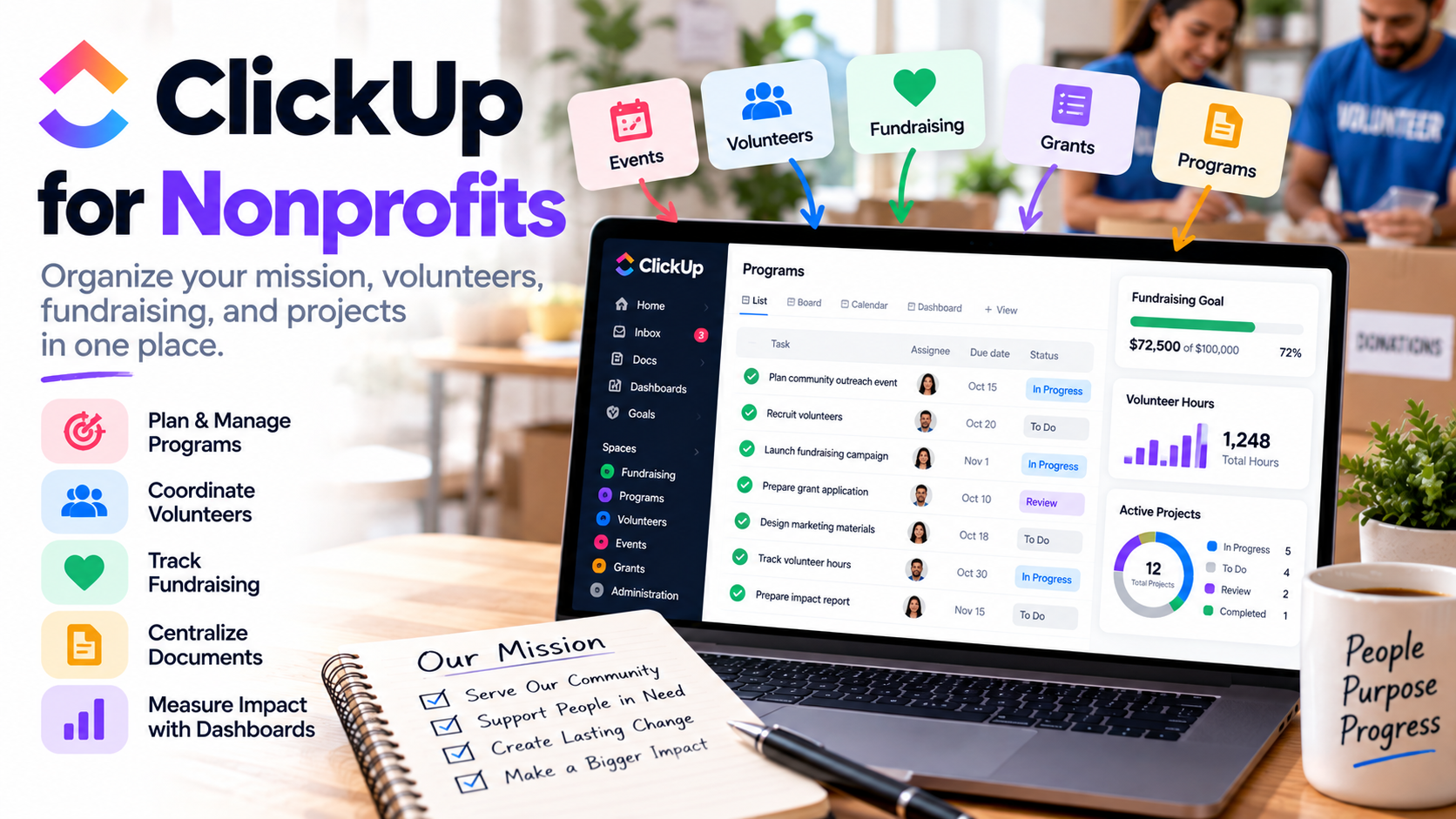
Running a nonprofit is rewarding, but managing one can become complicated very quickly.
You may have employees, volunteers, board members, donors, fundraising campaigns, community events, grant deadlines, marketing projects, and programs happening simultaneously. Unlike a large corporation, however, your organization may have a relatively small team trying to manage all of it.
That's where ClickUp can become particularly useful.
Instead of managing projects in spreadsheets, keeping documents somewhere else, collecting volunteer applications through another system, and tracking deadlines through endless email chains, nonprofits can use one workspace to organize much of their day-to-day work.
In fact, ClickUp has a dedicated nonprofit offering and currently provides eligible nonprofit organizations with access to special discounted pricing. ClickUp
So, how can a nonprofit actually use it?
Manage Nonprofit Projects With ClickUp
Let's start with the most obvious use case: project management.
A nonprofit could be simultaneously organizing a fundraising dinner, launching a social media campaign, preparing a grant application, coordinating volunteers, and delivering community programs.
Each initiative contains dozens of smaller tasks.
With ClickUp, you can break those projects into actionable tasks, assign responsibility, establish due dates, add priorities, create subtasks, and monitor progress.
The platform's hierarchy also gives organizations flexibility in how they structure their work. For example, you could create separate areas for Fundraising, Marketing, Programs, Volunteers, Administration, and Events.
Inside those areas, individual projects can contain their own tasks, documents, deadlines, and workflows. ClickUp Help
That creates one central place where your team can answer a very important question:
What needs to happen next, and who's responsible for doing it?
Coordinate Your Volunteers
Volunteer management is another excellent use case.
Imagine you're organizing a community food drive with 40 volunteers.
Some volunteers handle registration. Others collect donations. Another group organizes supplies, while several people handle transportation.
Trying to coordinate everything through email can quickly become chaotic.
With ClickUp, volunteer activities can be created as tasks and placed on a Calendar. The company's nonprofit solution specifically highlights scheduling volunteer tasks through Calendar view and publicly sharing calendars so volunteers can see where and when they're needed. ClickUp
You can also use built-in time tracking to monitor volunteer hours and attach notes or tags to recorded time. ClickUp
That can make it easier to understand how much volunteer capacity different programs actually require.
Build Volunteer Application Forms
Here's where things get even more interesting.
You can create Forms inside ClickUp.
A nonprofit could create a volunteer application asking for information such as availability, interests, skills, preferred volunteer opportunities, and contact details.
When someone completes a connected Form, the response can become actionable work inside your workspace rather than remaining isolated in another application. Forms can also connect with workflows, Automations, Views, and Dashboards. ClickUp
And this isn't limited to volunteers.
Forms could also be useful for event registrations, community requests, internal surveys, project intake, feedback, and program applications.
Instead of information arriving through multiple inboxes, you have a structured process for collecting and acting on it.
Organize Fundraising Campaigns
Fundraising usually involves much more than simply asking people for donations.
You might need to develop campaign messaging, design promotional materials, create emails, contact potential sponsors, organize an event, update your website, coordinate volunteers, and eventually prepare reports.
That's a project.
And it can be managed like one.
Create a fundraising campaign in ClickUp and break the campaign into phases.
Your marketing team can manage promotional tasks. Your fundraising team can track its responsibilities. Event coordinators can manage logistics. Leadership can monitor overall progress without constantly asking everyone for updates.
Custom Fields can also be used to add information specific to your organization, while the nonprofit solution highlights using Custom Fields and Formulas for calculations involving donations, hours, budgets, and donor reporting. ClickUp
This gives nonprofits much more flexibility than a simple checklist.
Track Your Nonprofit's Goals
Tasks tell you what your organization is doing.
Goals help explain why you're doing it.
Suppose your organization wants to raise $100,000 this year.
You could establish that objective and connect the work contributing toward it.
Or perhaps your mission involves providing 5,000 meals, recruiting 200 volunteers, running 25 community workshops, or helping 500 families.
ClickUp Goals can connect higher-level objectives with projects and tasks, and progress can update as the underlying work is completed. Numerical targets and task-based targets can also be used to measure progress. ClickUp
That helps connect daily work with the organization's larger mission.
Instead of simply seeing that 47 tasks were completed, leadership can see whether those tasks are actually moving the organization toward its objectives.
Create Dashboards for Leadership and Reporting
Nonprofit leaders and boards don't necessarily need to see every individual task.
They need the bigger picture.
Dashboards can provide a visual overview of project health, progress, workload, and other information tracked in your workspace. ClickUp
For example, you could build a dashboard around your annual fundraising campaign and track progress toward goals, completed tasks, outstanding work, volunteer activity, and other relevant metrics.
That can be especially useful when preparing internal meetings.
Instead of manually building another spreadsheet every week, your operational information is already being captured as your team works.
Build a Central Nonprofit Knowledge Base
Nonprofits accumulate a surprising amount of institutional knowledge.
You may have volunteer procedures, fundraising guidelines, event checklists, sponsorship packages, marketing guidelines, meeting notes, onboarding instructions, grant-writing resources, and standard operating procedures.
The problem is that these documents often end up scattered across different folders and inboxes.
ClickUp Docs can be used for wikis, repositories, project documentation, and SOPs, and documents can be connected directly to work happening inside the platform. ClickUp Help
Imagine a new volunteer coordinator joining your organization.
Instead of sending ten different files and explaining where everything lives, you can provide access to an organized knowledge base containing the information they need.
That's particularly valuable for organizations where volunteers or staff members change regularly.
Automate Repetitive Administrative Work
Small nonprofit teams shouldn't spend valuable time manually performing repetitive administrative tasks when those tasks can be automated.
Automations can help move work through predefined workflows. ClickUp Help
For example, a Form submission could create a task and trigger workflow actions. A project moving into a new stage could automatically update information or route work appropriately. Recurring tasks can also handle activities that happen on regular schedules. ClickUp
The objective isn't to automate your nonprofit's mission.
It's to automate some of the administrative work surrounding that mission.
If your employees spend less time moving information between systems, they have more time for fundraising, community engagement, program delivery, and donor relationships.
Use Templates Instead of Starting From Scratch
Another benefit for resource-constrained organizations is templates.
ClickUp provides project-management templates that can be reused for repeatable processes. ClickUp Help
That's particularly helpful for recurring nonprofit activities.
If you organize the same annual fundraising event every year, don't rebuild the project from zero.
Create the workflow once.
Then reuse it.
Your template might contain tasks for securing the venue, contacting sponsors, recruiting volunteers, promoting the event, managing registrations, confirming vendors, sending reminders, and preparing post-event reports.
Next year, duplicate the structure and improve it based on what you learned.
Over time, your nonprofit begins building repeatable systems rather than reinventing its processes.
Does ClickUp Offer a Nonprofit Discount?
Yes.
ClickUp currently states that nonprofit organizations may qualify for special discounted pricing. Its nonprofit page includes a process for claiming a nonprofit discount, while its help documentation says eligible organizations can contact support about customized pricing based on their budget. ClickUp
There's also a Free Forever plan, which can give smaller organizations an opportunity to explore the platform before deciding whether they need a paid plan. ClickUp
Because pricing, eligibility, and plan features can change, I'd recommend checking the current nonprofit offer before making a purchasing decision.
Don't Overcomplicate Your Setup
There's one potential downside to having so much flexibility.
You can overbuild your workspace.
A small nonprofit doesn't necessarily need 30 statuses, 50 Custom Fields, complicated Automations, and elaborate Dashboards on day one.
Start simple.
Create areas for your major departments or programs. Add your active projects. Assign tasks. Establish deadlines. Create one volunteer Form. Build a few important Docs.
Then watch how your organization actually uses the system.
Add complexity when there's a real problem that complexity solves.
Your project-management system should make the organization easier to operate—not become another project everyone has to manage.
Final Thoughts
For nonprofits, good project management isn't simply about productivity.
It's about making limited resources go further.
Every hour spent searching for information, figuring out who owns a task, manually collecting volunteer applications, or updating spreadsheets is an hour that could potentially be spent advancing the organization's mission.
That's why ClickUp can be an interesting option for nonprofits.
It brings projects, tasks, volunteers, Forms, Docs, Goals, calendars, time tracking, Automations, and reporting into a connected work-management environment. Its dedicated nonprofit offering also specifically emphasizes funding goals, volunteer scheduling, volunteer-hour tracking, intake Forms, collaboration, and nonprofit pricing. ClickUp
The real benefit isn't having more software.
It's having less operational chaos.
If your nonprofit can spend less time organizing the work and more time actually doing it, the technology is serving exactly the purpose it should.
If you need help setting up ClickUp, get in touch with me.