
How to Automate Sales Follow-Ups Using Apollo.io: A Step-by-Step Guide
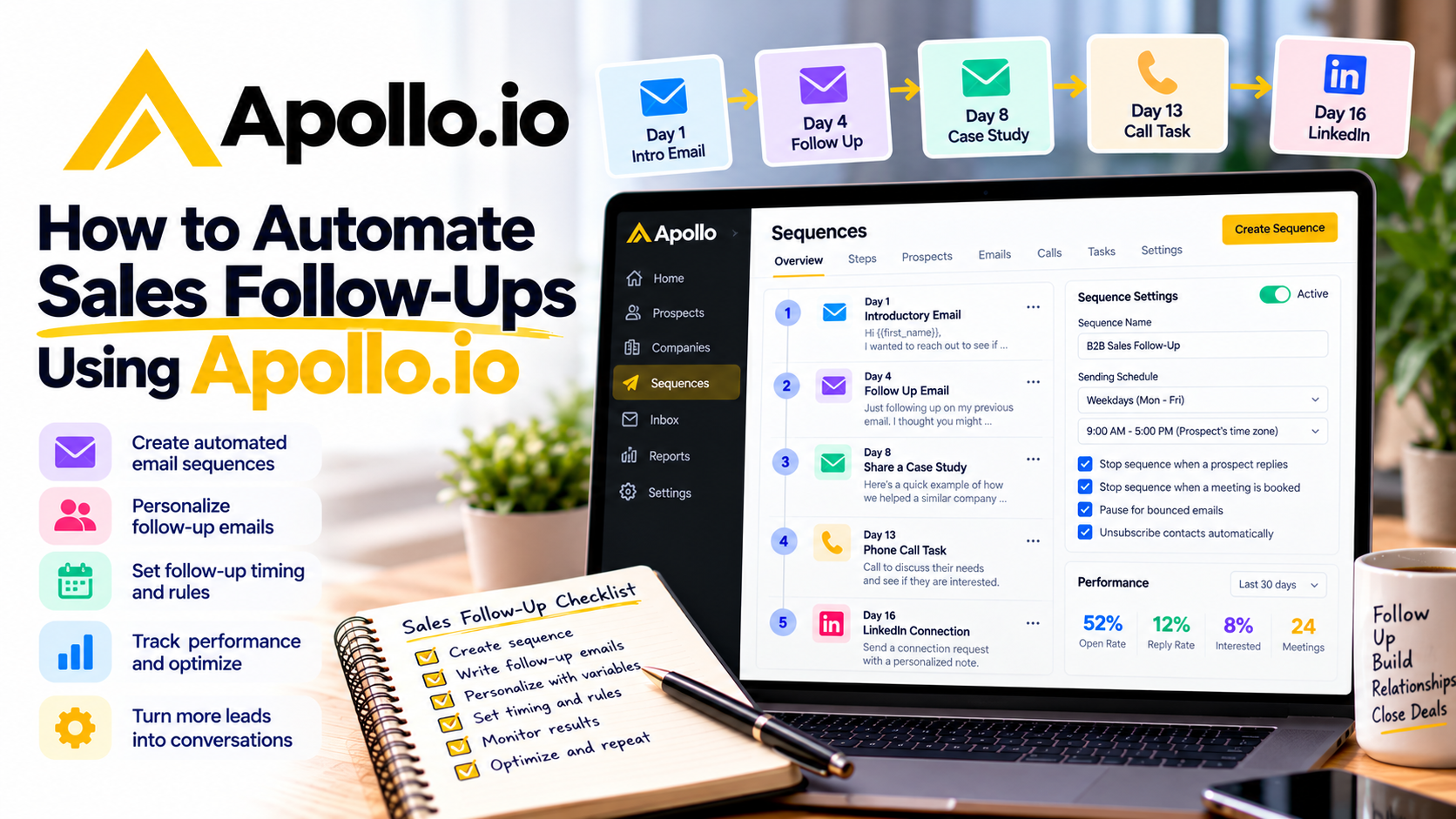
Following up with potential customers is one of the most important parts of the sales process.
You might send a great introductory email, explain your services clearly, and contact the right decision-maker. But what happens when that person doesn't respond?
For many businesses, that's where the conversation ends.
The reality is that prospects are busy. Your email might arrive during a meeting, get buried under other messages, or simply reach someone who isn't ready to make a decision.
That's why consistent follow-ups matter.
However, manually tracking every prospect, remembering when to send another email, and organizing conversations can become overwhelming.
Fortunately, Apollo.io provides sales engagement and automation tools that help businesses manage follow-ups more efficiently.
In this guide, I'll explain how to automate sales follow-ups using Apollo.io, from creating your first email sequence to personalizing messages and tracking results.
Why Are Sales Follow-Ups Important?
Imagine you run a digital marketing agency.
You contact 50 businesses offering SEO services, but only a few respond immediately.
Does that mean the other companies aren't interested?
Not necessarily.
Some prospects might need more information, while others may be considering their options or waiting for the right time.
A thoughtful follow-up gives you another opportunity to communicate your value.
The challenge is staying organized without becoming repetitive or intrusive.
Apollo.io helps address this challenge through automated sequences that send messages according to a predefined schedule.
Instead of relying entirely on reminders and spreadsheets, you can create a repeatable process.
Step 1: Connect Your Email Account
Before automating follow-ups, you'll need to connect an email account.
Apollo.io supports connecting business email accounts, including those hosted by Google and Microsoft.
Once connected, the platform can send sales emails through your mailbox.
To get started:
Sign in to your account.
Open your email settings.
Navigate to the mailbox configuration section.
Connect your business email account.
Configure your email signature and sending preferences.
You should also make sure your domain has appropriate email authentication, including SPF, DKIM, and DMARC.
These settings help protect your sending reputation and support email deliverability.
Why it matters: A properly configured mailbox provides the foundation for reliable sales outreach.
Step 2: Create a Sales Sequence
One of the most useful features of Apollo.io is its sequence builder.
A sequence is a series of planned sales activities that take place over time.
These activities can include automated emails, manual emails, phone calls, and LinkedIn-related tasks.
To create one, open Sequences and select Create Sequence.
You can start with a template, build a sequence from scratch, clone an existing sequence, or use AI assistance.
For beginners, I'd recommend starting with a simple email sequence.
For example:
DayFollow-up activityDay 1Send an introductory emailDay 4Follow up with a helpful insightDay 8Share a relevant example or case studyDay 13Send a final, respectful follow-up
These are example timings rather than guaranteed best practices. Adjust them for your audience and applicable communication rules.
Once configured, automatic email steps can run without requiring you to send every message manually.
Step 3: Write Your Automated Follow-Up Emails
Automation is useful, but your messages still need to provide value.
One mistake businesses make is sending follow-ups that simply say, "Just checking in."
Instead, each email should give the recipient a reason to continue the conversation.
Here's an example for an IT consulting business.
Email 1: Initial Introduction
Subject: Quick question about your IT support
Hi Sarah,
I work with growing businesses that need help managing Microsoft 365, cybersecurity, and everyday IT support.
I wanted to reach out to see whether your team is currently evaluating additional technical support.
Would you be open to a brief conversation?
Best regards,
John
Email 2: Helpful Follow-Up
Subject: Re: Quick question about your IT support
Hi Sarah,
I wanted to follow up on my previous email.
One challenge growing businesses often face is keeping employee onboarding, software access, and security policies organized as their teams expand.
We help businesses simplify these processes.
Would it be useful if I shared a few examples?
Best regards,
John
Email 3: Final Follow-Up
Subject: Re: Quick question about your IT support
Hi Sarah,
I know priorities can change, so I'll leave this here for now.
If your team ever needs additional IT support or assistance with Microsoft 365, I'd be happy to connect.
Thanks for your time!
Best regards,
John
Notice that each message is short, professional, and focused on a potential business need.
You can customize these templates inside Apollo.io for different audiences.
Step 4: Personalize Your Follow-Ups
Automated emails don't have to sound robotic.
Apollo.io supports personalization using contact information and email variables.
For example, you can customize messages using a prospect's first name, company name, or job title when those details are available.
Imagine you're contacting marketing directors.
Instead of writing:
"Hello, we provide marketing services."
You could write:
"Hi Sarah, I noticed you're leading marketing at BrightTech. I wanted to share an idea for improving B2B lead generation."
The second version is more relevant.
The platform also offers AI-assisted writing and research features that can help generate or refine outreach content.
However, review AI-generated personalization before sending. Incorrect details can make your outreach feel less credible.
The goal is to automate the process without sacrificing the human element.
Step 5: Set Up Follow-Up Timing
Timing plays an important role in sales communication.
Sending three follow-up emails in one day may frustrate prospects, while waiting too long can make conversations lose momentum.
Apollo.io allows you to configure the delay between sequence steps.
You can also establish sending schedules based on business hours and time zones.
For example, you might schedule emails to send Monday through Friday during your prospects' normal working hours.
If you work with businesses across different regions, contact-specific time zone scheduling can be useful.
Remember that sending limits and holidays may affect when emails are actually delivered.
Start with a reasonable schedule and adjust it based on engagement.
Step 6: Stop Follow-Ups When Prospects Respond
One of the biggest problems with poorly configured automation is continuing to send sales messages after someone has already replied.
Imagine a prospect responds:
"Thanks, I'm interested. Can we schedule a meeting?"
Receiving another automated email asking whether they're interested would create an awkward experience.
Fortunately, Apollo.io provides sequence rules that control what happens when contacts respond.
You can configure rules to stop future sequence messages when a prospect replies or schedules a meeting.
The platform also includes protections for unsubscribes and certain delivery failures.
Before launching a campaign, review these settings carefully.
Why it matters: Automation should support conversations, not interfere with them.
Step 7: Combine Emails with Other Sales Activities
Not every prospect prefers communicating through email.
Some might respond better to a phone call or a LinkedIn interaction.
With Apollo.io, you can build multichannel sequences that combine different outreach activities.
For example:
Day 1: Automated introductory email.
Day 4: Automated follow-up email.
Day 7: Create a phone call task.
Day 10: Create a LinkedIn connection task.
Day 14: Send a final follow-up email.
It's important to understand that not every activity happens automatically.
While automatic email steps can send on their own, phone calls, manual emails, and many LinkedIn activities create tasks for your sales team to complete.
This approach allows you to automate scheduling while keeping personal interactions where they're most useful.
Step 8: Use AI to Improve Your Follow-Up Strategy
Artificial intelligence can help make sales outreach more efficient.
Apollo.io offers AI-assisted sequence creation and email writing capabilities.
For example, you can describe your target audience and outreach objective, then use AI to help generate a sequence.
You can review the suggested messages, adjust the timing, and refine the language before activating it.
The platform also offers AI-generated meeting follow-up drafts for supported recorded conversations.
These can summarize discussion points and suggest next steps, although you should always review them before sending.
AI is particularly helpful when you're creating multiple campaigns for different industries.
Just remember that automation and AI can't replace a strong offer or a genuine understanding of your customers.
Step 9: Track Your Follow-Up Performance
Once your sequence is active, the next step is measuring results.
Apollo.io provides sequence reporting tools that help you evaluate outreach performance.
Useful metrics include:
Email delivery and bounce rates.
Reply rates.
Interested prospect rates.
Meetings generated.
Performance of individual sequence steps.
For example, imagine your first follow-up generates more positive responses than your third.
That could indicate your later messaging needs improvement or that your sequence is too long.
You can also use A/B testing, where supported by your plan, to compare different email variations.
Over time, these insights help you improve your follow-up strategy.
Step 10: Protect Your Email Deliverability
Sending automated emails doesn't mean you should contact as many people as possible.
Excessive sending can damage your domain reputation and reduce the likelihood that your messages reach inboxes.
Apollo.io includes sending limits and other deliverability controls.
The company recommends starting conservatively, around 50 emails per mailbox per day, and monitoring performance before increasing volume.
You should also:
Verify business email addresses.
Avoid irrelevant or misleading messages.
Include appropriate unsubscribe options.
Remove contacts who opt out.
Monitor bounce rates and spam complaints.
Respect applicable email marketing regulations.
For businesses operating in Canada, pay particular attention to Canada's Anti-Spam Legislation (CASL), including consent, identification, and unsubscribe requirements.
Good automation depends on responsible sending practices.
Who Should Use Apollo.io for Automated Follow-Ups?
I think this feature is particularly valuable for businesses that regularly contact potential customers.
Marketing agencies can follow up with prospects interested in advertising, SEO, or lead generation services.
Consultants can nurture conversations with companies that may need professional advice.
SaaS businesses can follow up with prospects who haven't yet booked a product demonstration.
IT service providers can maintain communication with companies evaluating outsourced technical support.
B2B sales teams can standardize outreach while giving representatives more time for qualified conversations.
However, businesses that send only occasional personal emails may not need a complete sales automation platform.
Final Thoughts: Is Apollo.io Worth Using for Sales Follow-Ups?
Sales follow-ups are essential, but managing them manually can consume valuable time.
With Apollo.io, you can build structured email sequences, personalize outreach, schedule follow-ups, create sales tasks, and monitor campaign performance.
For me, one of the biggest advantages is consistency.
Instead of wondering which prospects need another message, you can create a repeatable process that keeps your outreach organized.
Of course, successful follow-ups still require relevant messaging, proper targeting, and respect for the recipient's preferences.
The goal isn't to send more emails simply because you can.
It's to create meaningful sales conversations while reducing unnecessary administrative work.
If you're ready to simplify your sales process, explore Apollo.io and discover how its sales engagement tools can help you automate follow-ups and manage your pipeline more efficiently.
If you need help setting up Apollo, get in touch with me.