
How to Automate WhatsApp Messages with ActiveCampaign
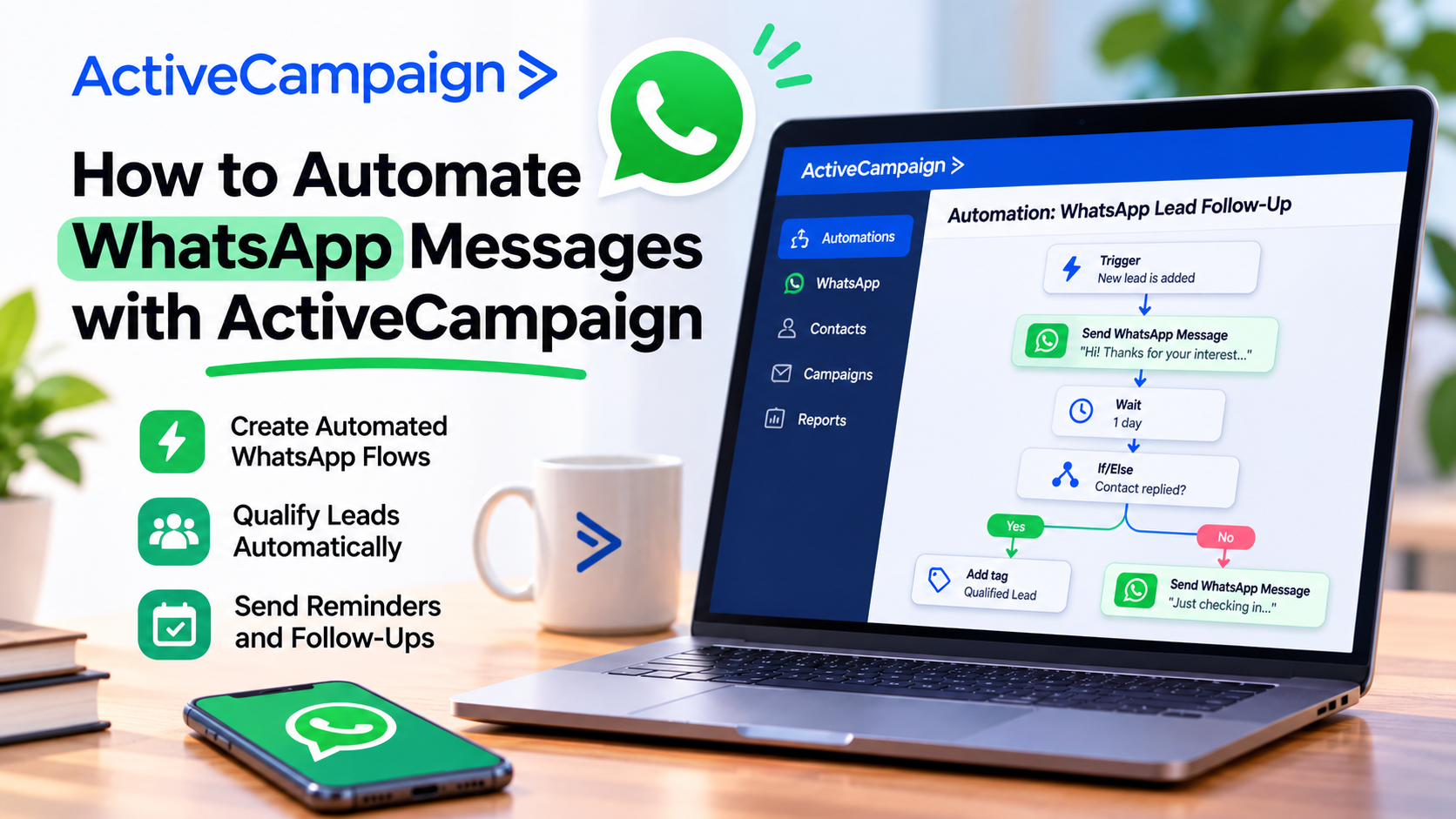
WhatsApp has become one of the most important communication channels for businesses around the world.
Whether you're a consultant, real estate agent, ecommerce business, or local service provider, chances are your customers are already using WhatsApp to ask questions, request quotes, and communicate with your team.
But here's the challenge.
As your business grows, manually responding to every message becomes increasingly difficult.
That's where automation comes in.
As a CRM and marketing automation consultant and HubSpot Certified Trainer, I'm always looking for practical ways to help businesses communicate more efficiently without sacrificing personalization.
And one platform I recommend exploring is ActiveCampaign.
With its WhatsApp messaging capabilities, you can automate conversations, qualify leads, send reminders, and coordinate customer communications.
In this guide, I'll explain how to get started and share some of my favorite automation ideas.
Why Automate WhatsApp Messages?
Many small businesses already use WhatsApp as their primary customer communication channel.
The problem is that conversations often depend on someone being available to respond.
A potential customer sends a message at 9 PM.
Nobody answers until the next morning.
By then, that customer may have contacted a competitor.
WhatsApp automation helps reduce these delays by allowing businesses to create predefined responses and workflows.
For example, you can:
Welcome new inquiries automatically.
Answer frequently asked questions.
Qualify potential customers.
Route conversations to the right team member.
Send appointment reminders.
Share order updates.
Follow up with customers who have opted in.
The goal isn't to replace human conversations.
It's to automate repetitive interactions so your team can focus on the conversations that actually need a person.
What Makes ActiveCampaign Different?
One reason I like this approach is that WhatsApp isn't treated simply as an external messaging application.
ActiveCampaign offers native WhatsApp messaging capabilities, including messaging flows, broadcasts, a shared team inbox, and automation tools.
Depending on your plan, you can also coordinate WhatsApp with email marketing, CRM activities, and other customer engagement workflows.
This is particularly useful for businesses that communicate with customers across multiple channels.
Imagine someone downloads a guide from your website, receives an email, and later requests information through WhatsApp.
A connected marketing system makes it easier to manage those interactions as part of a broader customer journey.
And importantly, you don't necessarily need a complete email marketing suite to start using the WhatsApp offering.
Step 1: Set Up Your WhatsApp Business Account
Before building automations, you'll need to configure your WhatsApp messaging account.
Start by exploring the WhatsApp options available through ActiveCampaign.
You'll need an appropriate WhatsApp Business Platform setup, a compatible phone number, and the necessary business account configuration.
Depending on your circumstances, Meta business verification may also be required.
Follow the onboarding instructions to connect your WhatsApp number and confirm that messages can be sent and received.
My recommendation is to complete this setup carefully.
A properly configured messaging account is the foundation for everything you'll automate later.
Step 2: Create Your First WhatsApp Messaging Flow
Once your account is connected, you can begin creating automated conversations.
In the platform, navigate to:
WhatsApp → Messaging Flows → New Messaging Flow
Give your flow a descriptive name, such as New Lead Welcome Message.
Next, select a trigger.
For example, an inbound flow can start when someone sends a message to your business.
You can then use the visual flow builder to add messages, questions, conditions, and other steps.
A simple welcome flow might look like this:
A customer sends your business a WhatsApp message.
An automated greeting welcomes them.
The flow asks what they need help with.
The customer selects sales, support, or another option.
The conversation follows the appropriate path.
For a small business, even this simple automation can make a noticeable difference.
Step 3: Personalize Your WhatsApp Messages
Automation doesn't have to sound robotic.
In fact, I strongly recommend keeping your messages conversational.
Instead of sending a generic response, use available contact information and message variables to make your communication more relevant.
For example:
"Hi Maria! Thanks for contacting us. Are you interested in learning more about our services or speaking with someone from our team?"
A message like this feels much more natural than a long, impersonal sales pitch.
You can also use questions and conditional steps to guide conversations based on customer responses.
My advice is simple:
Write WhatsApp messages the way you'd actually speak to a customer.
Keep them short, helpful, and focused on one action at a time.
Step 4: Automate Lead Qualification
This is one of my favorite applications of WhatsApp automation.
Imagine you run a marketing consulting business.
A prospect contacts you through WhatsApp asking about CRM implementation.
Instead of immediately requiring someone to respond manually, you could create a qualification flow that asks:
What type of business do you operate?
How many people are on your sales team?
Are you currently using a CRM?
What challenge are you trying to solve?
Based on their answers, the conversation can follow different paths.
Qualified prospects can be routed to a salesperson, while other inquiries can receive appropriate resources or next steps.
More advanced routing and scoring capabilities depend on your plan.
This approach helps your team spend more time with relevant opportunities while giving every inquiry a more consistent initial experience.
Step 5: Connect WhatsApp to Your Marketing Automations
Here's where things become particularly interesting.
With supported plans and configurations, you can trigger WhatsApp messaging flows from broader marketing automations.
For example, you might create an automation that starts when a contact joins a particular segment or completes a relevant action.
The automation can then use the Start a WhatsApp flow action to launch a previously published messaging flow.
This opens the door to workflows such as:
Event reminders: Notify opted-in registrants before a webinar or appointment.
Customer onboarding: Send helpful information after someone purchases a service.
Lead nurturing: Share relevant resources with prospects who have agreed to receive WhatsApp communications.
Customer re-engagement: Reach out to eligible contacts with useful updates or offers.
The key is to ensure each message is relevant and permitted under WhatsApp's messaging rules.
Step 6: Create and Approve WhatsApp Templates
One important difference between WhatsApp and traditional email marketing is Meta's messaging requirements.
When you initiate certain outbound conversations, including messages outside the 24-hour customer service window, you generally need an approved WhatsApp message template.
These templates can support use cases such as appointment reminders, order confirmations, and promotional messages.
You create the template, submit it for Meta approval, and use it once approved.
You must also obtain appropriate customer opt-in before sending business-initiated messages.
And remember that marketing messages to US phone numbers face additional restrictions.
This is why I recommend designing your messaging strategy around permission and customer value rather than sending as many messages as possible.
Step 7: Test Your Automation Before Publishing
Before activating a flow, test it.
Send messages from a personal WhatsApp account and verify that the workflow behaves as expected.
Check that:
Your greeting appears correctly.
Personalization variables display properly.
Questions and menu options work.
Conditional branches lead to the correct responses.
Customers can reach a real person when necessary.
Approved templates are used where required.
Then publish the flow and monitor its performance.
I also recommend reviewing your workflows regularly as your business processes evolve.
Don't Overlook the WhatsApp-Only Plans
One of the most interesting things about ActiveCampaign is that businesses can purchase WhatsApp Messaging as a standalone offering.
You don't necessarily have to purchase a complete email marketing platform first.
The dedicated WhatsApp plans include Core, Advanced, and Premium tiers, with different limits and capabilities.
For a local business, consultant, agency, or service provider that primarily communicates through WhatsApp, this could be a practical starting point.
The Core plan supports essential capabilities such as messaging flows, broadcasts, and a shared team inbox.
Higher tiers add more advanced automation and team-management features.
Costs depend on your plan, contact volume, messaging credits, and any additional services.
I particularly like this option for businesses in markets where WhatsApp is central to customer communication.
You can start by improving the channel your customers already use instead of implementing a larger marketing system before you need one.
Five WhatsApp Automations I'd Recommend Starting With
If you're new to WhatsApp automation, don't try to automate everything immediately.
Start with a few workflows that solve real problems.
1. Welcome messages: Greet incoming inquiries and explain how your business can help.
2. Lead qualification: Ask a few questions before transferring a conversation to sales.
3. Appointment reminders: Reduce missed appointments by sending timely reminders to opted-in customers.
4. Customer support routing: Direct common questions to helpful answers and more complex issues to your team.
5. Post-purchase follow-ups: Share useful next steps, onboarding instructions, or order-related updates.
Each of these can improve consistency without making the customer experience unnecessarily complicated.
Final Thoughts: Is WhatsApp Automation Worth It?
Absolutely—when it's implemented thoughtfully.
WhatsApp automation can help small businesses respond faster, organize conversations, qualify leads, and provide more consistent customer communication.
But successful automation isn't about replacing every human interaction.
It's about knowing which activities should happen automatically and when someone on your team should take over.
That's why I think ActiveCampaign is worth considering.
Its native WhatsApp capabilities, visual messaging flows, and standalone plans make it an interesting option for businesses that want to get more organized without immediately investing in a complicated technology stack.
If your customers already communicate with you through WhatsApp, building a few thoughtful automations could be one of the most practical improvements you make to your customer experience.
Explore ActiveCampaign and discover how WhatsApp automation could fit into your marketing and customer communication strategy.
If you need help setting up ActiveCampaign, get in touch with me.