
How to Find B2B Leads with Apollo.io
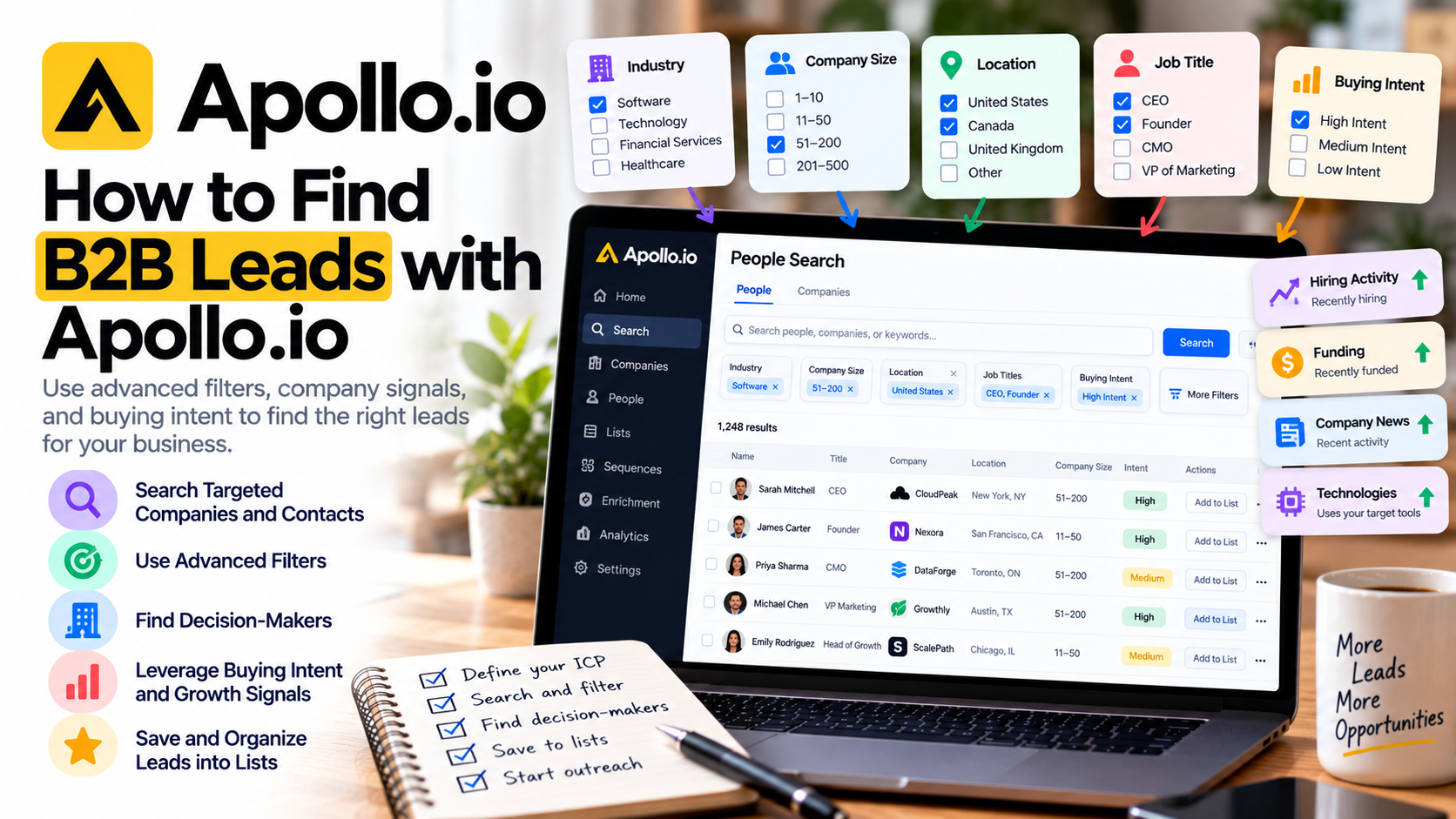
Finding B2B leads isn't necessarily difficult. Finding the right B2B leads is where things get complicated.
You can build a database containing thousands of companies and contacts, but if those people aren't a good fit for what you're selling, having a huge prospect list isn't particularly valuable.
That's one of the reasons I like Apollo.io for B2B prospecting.
Instead of simply giving you access to contact information, Apollo.io lets you narrow prospects using criteria such as industry, company size, location, job title, revenue, technologies, hiring activity, buying intent, company growth, and many other signals. You can then save those prospects, organize them into lists, enrich their information, sync them with your CRM, or add them to an outreach sequence. Apollo
Here's how I would use it to build a targeted B2B lead-generation system.
Step 1: Define Your Ideal Customer Before Opening Apollo.io
The biggest mistake you can make is starting with the database.
Start with your customer.
Before searching in Apollo.io, write down what your ideal customer looks like.
Suppose you're a consultant who helps small SaaS companies improve their marketing.
Your ideal company might look something like this:
SaaS or software company
20–200 employees
Located in Canada or the United States
Growing its marketing department
$2 million+ in annual revenue
Decision-maker is a Founder, CEO, CMO, or VP of Marketing
Now you have something you can actually search for.
Apollo.io itself recommends using firmographic information such as company size, industry, location, annual revenue, and other characteristics of your best customers to define an ideal customer profile and then turn those characteristics into search filters. Apollo
The more clearly you understand who buys from you, the more valuable the database becomes.
Step 2: Start With Companies, Not Thousands of Random People
One approach I particularly like is finding the right companies first and then finding the right people inside those companies.
Go into the Companies search inside Apollo.io and start applying your ICP criteria.
You could filter companies according to industry, number of employees, location, buying intent, hiring activity, and other attributes.
The platform uses AND logic between different filters. That means adding more filters progressively narrows the results. Within an individual filter, multiple selections generally broaden that particular criterion. Apollo
That's incredibly useful.
Instead of getting 50,000 vaguely relevant companies, you might eventually narrow the list to 500 businesses that genuinely resemble your ideal customers.
I'd rather have 500 highly relevant companies than 50,000 random ones.
Step 3: Find the Right Decision-Makers
Once you've identified companies you want to target, you need to find the people who could actually buy your product or service.
This is where Apollo.io becomes especially powerful.
You can filter people by job title, management level, department, job function, location, and other criteria. The job-title filter can also include similar titles, exclude unwanted titles, or use Boolean searches with AND, OR, and NOT for more precise targeting. Apollo
For example, if you're selling marketing services, you might target:
Founder → CEO → CMO → VP of Marketing → Head of Marketing → Marketing Director
If you're selling cybersecurity software, your target personas could instead include:
CIO → CTO → CISO → IT Director → Security Manager
Don't automatically assume the CEO is always the best person.
The best prospect is usually the person who owns the problem your product solves.
Step 4: Use Industry and Keyword Filters
Industry filters are useful, but sometimes they're too broad.
That's why I would also experiment with company keywords.
Apollo.io can search company information using industries and keywords, including information associated with company descriptions and websites. Keywords can be combined with other criteria such as company size, location, revenue, or technology to make a search more specific. Apollo
Suppose your service specifically helps accounting firms.
Searching simply for "Financial Services" could return many companies that aren't relevant.
Using more specific keywords can help you get closer to businesses that actually provide the services you're targeting.
This is an important prospecting principle:
Don't try to make your outreach relevant after building a bad list. Build a relevant list first.
Step 5: Look for Companies That Are Changing
Company characteristics tell you who might be a good customer.
Signals can help tell you when they might need you.
For example, Apollo.io offers filters around job postings, headcount growth, funding, company news, technologies, and other business signals. Its headcount-growth filter can even focus on company-wide or department-level growth over a selected timeframe. Apollo
Think about why that's useful.
A company rapidly hiring salespeople may soon need better sales infrastructure.
A company expanding its marketing department may need marketing technology.
A recently funded startup might suddenly have budget for services it couldn't afford six months earlier.
Instead of asking:
"Who could theoretically buy my product?"
You start asking:
"Who might have a reason to buy my product right now?"
That's a much stronger way to prospect.
Step 6: Use Buying Intent
Buying intent takes this idea even further.
Depending on your plan, Apollo.io can help identify companies demonstrating online research behavior around topics relevant to your product or service.
You can select intent topics and filter companies according to their intent scores. Higher scores indicate stronger activity around the selected topics. Apollo
For example, imagine you sell HR software.
Instead of targeting every company that meets your basic criteria, you could prioritize companies demonstrating interest in topics connected to HR technology or the problems your software solves.
One important distinction: buying intent applies to the company, not necessarily the individual person you find there. Someone working at a high-intent company isn't automatically the person conducting that research. Apollo
Treat intent as a prioritization signal—not proof that a particular contact wants your product.
Step 7: Use Lead Scores to Prioritize Your Best Prospects
Eventually, you'll have more potential leads than you can realistically contact.
That's a good problem, provided you know how to prioritize them.
Apollo.io uses prospect scoring to rank people and companies based on how closely they match the attributes in a scoring model. Results can be filtered by ratings such as Excellent, Good, Fair, and Not a Fit, and you can inspect the factors contributing to a score. Apollo
This gives you another layer between discovering prospects and contacting them.
Instead of treating 1,000 leads equally, you could start with the highest-scoring 100.
Combine that with buying intent and business signals, and your prospecting becomes significantly more focused.
Step 8: Save Good Searches
Once you've created a combination of filters that consistently produces good prospects, don't rebuild it every Monday morning.
Save it.
Apollo.io allows searches to be saved, and intent-based searches can also be monitored for fresh matching opportunities. Apollo
This is where lead generation starts becoming a system rather than a one-time research project.
You might eventually maintain separate searches for different customer segments.
For example:
SaaS Founders — 10–50 employees
Marketing Leaders — 50–200 employees
High-Intent SaaS Accounts
Recently Funded Companies
Companies Expanding Their Sales Teams
Each search becomes another prospecting channel.
Step 9: Organize Leads Into Lists
Once you find good prospects, organize them.
Apollo.io Lists let you group related people or companies together. Those lists can then be used in searches, sequences and workflows, enriched with additional information, exported, or connected with your CRM. Apollo
Don't create one giant list called "Leads."
Segment them according to why you're contacting them.
For example, you could have separate lists for consultants, agencies, SaaS companies, recently funded startups, or companies showing buying intent.
That makes it much easier to create messaging that actually matches the audience.
Step 10: Don't Immediately Contact Everyone You Find
This is probably the most important part.
Just because Apollo.io helps you find 5,000 potential prospects doesn't mean you should immediately put all 5,000 into the same sequence.
Start smaller.
Review the results.
Are these genuinely the companies you wanted?
Are the job titles correct?
Are there industries you should exclude?
Are certain company sizes converting better?
Do your highest-scoring prospects actually look like good opportunities?
The platform lets you take several actions once you've found contacts, including saving them to lists, enrolling them in sequences, enriching them, syncing them with a CRM, or exporting them. Apollo
But discovery and outreach don't have to happen simultaneously.
I'd rather spend extra time improving a list of 200 prospects than send irrelevant emails to 20,000 people.
Final Thoughts: Better B2B Lead Generation Starts With Better Targeting
The real value of Apollo.io isn't simply that it helps you find email addresses.
It's the ability to move from a huge B2B database toward a much smaller group of companies and people that actually fit your business.
Start with your ideal customer profile. Find matching companies. Identify the right decision-makers. Layer in firmographic filters, keywords, growth signals, buying intent, and prospect scores. Then save your searches and organize the best opportunities into focused lists.
That's how I would use Apollo.io for B2B lead generation.
The goal isn't to find more leads.
It's to find better leads—and have a clear reason for contacting them.
If you need help setting up Apollo, get in touch with me.