
HubSpot Meeting Scheduler: Make It Easier for Customers to Book Meetings With You
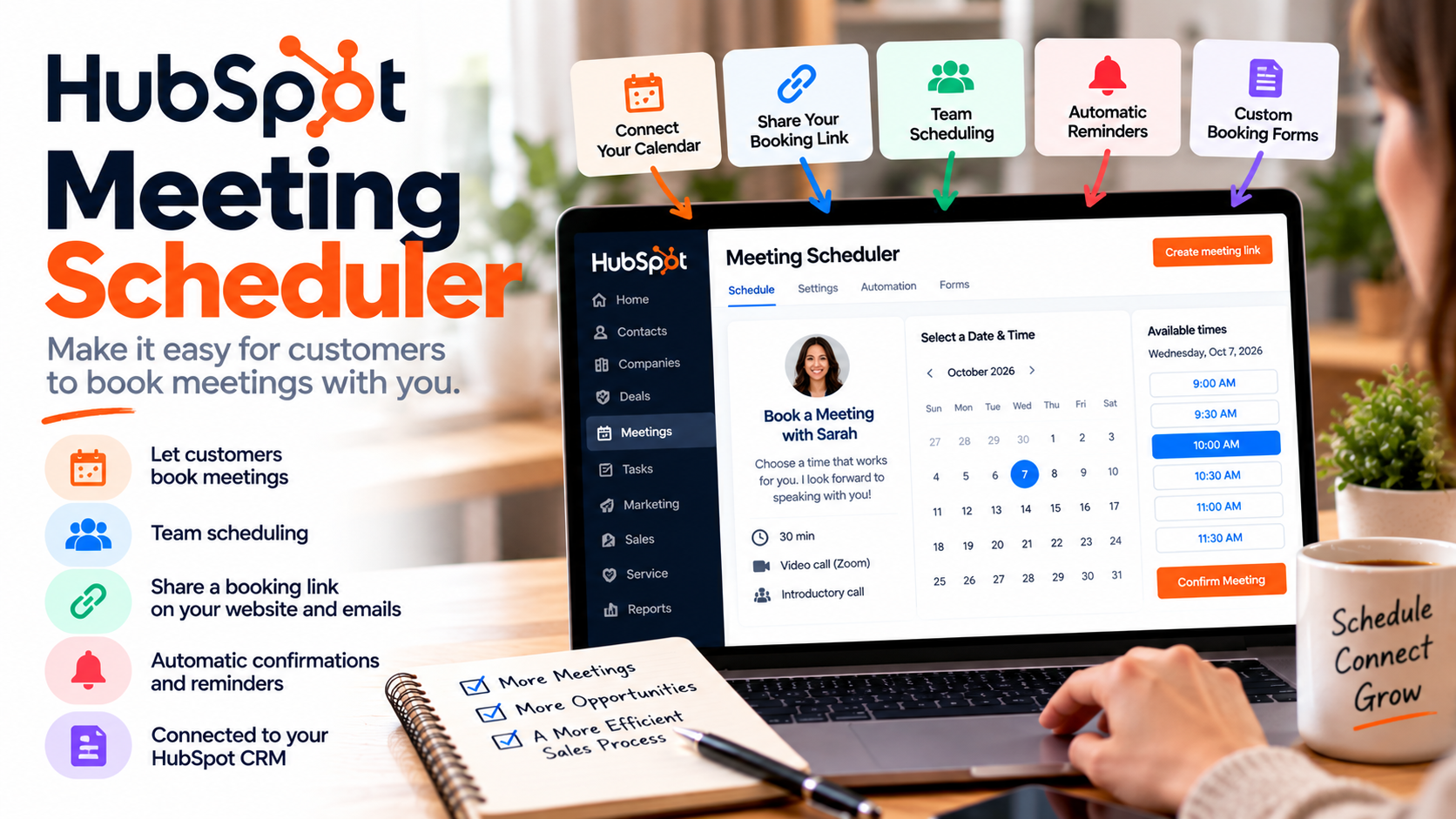
Scheduling a meeting shouldn't be complicated.
Yet we've all experienced the endless back-and-forth emails:
"Are you available Tuesday afternoon?"
"Unfortunately, Tuesday doesn't work. How about Thursday?"
"Thursday works, but only after 3 PM."
By the time everyone agrees on a date and time, you've already exchanged several emails just to schedule a 30-minute conversation.
That's exactly the problem the HubSpot Meeting Scheduler is designed to solve.
Instead of manually coordinating availability, you can share a booking link that allows prospects, customers, and colleagues to schedule meetings directly on your calendar.
And because it's connected to your CRM, meeting scheduling becomes part of your customer relationship management process.
Let's explore how it works, what features it offers, and why it might be useful for your business.
What Is the HubSpot Meeting Scheduler?
The HubSpot Meeting Scheduler is an online appointment scheduling tool that allows people to book time with you without exchanging emails to coordinate availability.
You create a scheduling page, connect your calendar, define your available hours, and share your booking link.
Someone who wants to meet with you simply opens that link, chooses an available time, and submits their information.
The meeting is then added to your connected calendar.
It's a simple concept, but it can eliminate a surprising amount of administrative work.
The tool is particularly interesting because it's part of the larger HubSpot CRM platform rather than being just another standalone scheduling application.
1. Let Customers Book Meetings Directly
The biggest advantage is convenience.
Imagine you're a consultant offering free introductory calls.
A potential customer visits your website, reads about your services, and decides they want to speak with you.
Without a scheduling tool, they might have to complete a contact form, wait for your response, and exchange several emails before confirming an appointment.
With HubSpot, you can give them immediate access to your available meeting times.
They choose a convenient slot and book the meeting themselves.
This reduces friction between someone expressing interest and actually having a conversation with your business.
And in sales, reducing friction can make a meaningful difference.
2. Connect Your Google or Outlook Calendar
A scheduling tool isn't particularly useful if it doesn't know when you're busy.
Fortunately, HubSpot integrates with Google Calendar and Microsoft 365 calendars.
Once connected, the scheduler checks your calendar availability before displaying bookable time slots.
For example, if you already have a meeting scheduled for Wednesday at 10 AM, that occupied time won't be offered as an available appointment.
New bookings are also synchronized with your connected calendar.
This helps prevent double bookings and eliminates the need to manually create every appointment.
For anyone who spends a significant portion of their day in meetings, that alone can be valuable.
3. Customize Your Meeting Availability
Not every business wants to make its entire calendar available to customers.
Maybe you only accept introductory calls on Tuesdays and Thursdays.
Perhaps you prefer meetings between 10 AM and 2 PM.
Or maybe you need 15 minutes between appointments to prepare for your next conversation.
The HubSpot Meeting Scheduler lets you customize your availability, meeting durations, minimum booking notice, and buffer times.
You can also establish how far in advance someone can schedule a meeting.
This gives you control over your calendar while still making the booking process convenient for customers.
It's especially useful for consultants, freelancers, salespeople, and business owners who need uninterrupted time to complete other work.
4. Create Different Types of Meetings
Not every meeting serves the same purpose.
A 15-minute introductory call is different from a 60-minute product demonstration.
And a customer onboarding session might require an entirely different structure.
Depending on your subscription, HubSpot allows you to create multiple scheduling pages with different meeting settings.
For example, you could offer:
Discovery Call: A 15-minute conversation with a potential customer.
Product Demonstration: A 45-minute meeting to explain your product.
Consultation: A 60-minute session to discuss a client's needs.
Customer Support Meeting: A 30-minute appointment to resolve a problem.
Each scheduling page can have its own description, availability, duration, and booking questions.
This creates a more organized experience for both your team and your customers.
5. Schedule Meetings With Multiple Team Members
One particularly useful feature is team scheduling.
Suppose a potential customer wants to meet with both a salesperson and a technical specialist.
Instead of coordinating three different calendars manually, a group scheduling page can display times when all required team members are available.
There's also round-robin scheduling.
With round-robin scheduling, prospects can book an available member of your team rather than waiting for one specific person.
This can be particularly useful for sales teams receiving a steady flow of meeting requests.
Group and round-robin scheduling are available with eligible paid Sales Hub or Service Hub subscriptions and seats.
6. Keep Meeting Information Connected to Your CRM
This is where HubSpot becomes more interesting than a basic calendar booking tool.
When someone schedules a meeting, their booking information can be associated with their CRM contact record.
That means your team can have relevant customer information available alongside meeting activity.
Imagine a prospect who previously completed a website form, downloaded a resource, and exchanged emails with your sales team.
When they book a meeting, your salesperson can review that history before the conversation.
Instead of starting completely from scratch, the meeting becomes another interaction within the broader customer relationship.
For businesses already using the CRM, this integration can be one of the strongest reasons to use the built-in scheduler.
7. Add Booking Links to Your Website and Emails
Your meeting scheduler doesn't have to live on a separate page that nobody knows about.
You can share your booking link through emails, sales communications, and other customer touchpoints.
You can also embed a scheduling widget on your website.
For example, a consulting business might add a "Book a Free Consultation" section to its services page.
A software company could add a "Schedule a Demo" option to its product pages.
And a salesperson could include a booking link in their email signature.
The idea is simple: make it easy for someone to schedule a conversation at the moment they're interested.
8. Send Automatic Confirmations and Reminders
Booking the meeting is only the beginning.
You also want the person to remember to attend.
The HubSpot Meeting Scheduler supports automatic booking confirmations and pre-meeting reminder emails.
You can configure reminders to be sent before the scheduled appointment.
This helps create a more professional booking experience without requiring someone on your team to send reminders manually.
Depending on your subscription and assigned seat, you may also be able to customize reminder content.
For businesses handling multiple consultations or demonstrations every week, these small automations can save time.
9. Collect Information Before the Meeting
Another useful feature is the ability to customize your booking form.
Instead of simply collecting someone's name and email address, you can ask relevant questions before the appointment.
For example, a marketing consultant might ask:
"What's your biggest marketing challenge right now?"
An IT services company might ask:
"How many employees does your organization have?"
A software provider could ask:
"What are you hoping to accomplish with our platform?"
These questions help you prepare for the conversation.
They can also make the meeting more productive because you already understand something about the customer's needs.
Just avoid asking too many questions.
Your booking form should help people schedule a meeting, not discourage them from completing the process.
10. Use Meeting Scheduling to Support Your Sales Process
One of the most practical applications is turning interested prospects into booked conversations.
Imagine someone downloads a guide from your website.
They receive a follow-up email with useful information and an invitation to schedule a consultation.
Instead of replying to coordinate availability, they click your meeting link and choose a convenient time.
Your sales team now has a confirmed appointment.
This is particularly useful for businesses selling products or services that require a conversation before purchase.
The scheduler doesn't replace the sales process.
It simply removes unnecessary steps between initial interest and the next conversation.
Is the HubSpot Meeting Scheduler Free?
Yes. HubSpot offers a free meeting scheduling option.
Free users can create one one-on-one scheduling page with platform branding.
That can be enough for a freelancer, consultant, or small business owner who simply wants to share a booking link.
Businesses requiring multiple scheduling pages, team scheduling, or more advanced functionality may need eligible paid subscriptions and assigned seats.
The important thing is to evaluate which features you actually need rather than assuming you must purchase an expensive plan to start scheduling meetings.
Who Should Use the HubSpot Meeting Scheduler?
I think this tool is especially useful for consultants, freelancers, agencies, B2B sales teams, SaaS companies, professional service providers, and customer success teams.
Essentially, any business that regularly schedules conversations with prospects or customers could benefit from it.
If your business already uses HubSpot for customer management, the integrated scheduling experience makes even more sense.
However, if you only schedule a handful of appointments every year, a dedicated scheduling workflow might not be particularly important.
The value increases as the number of meetings and customer interactions grows.
Final Thoughts: Make Booking a Meeting the Easiest Part of Your Sales Process
Scheduling a meeting should be simple.
Your prospects shouldn't have to exchange five emails just to find a time to speak with you.
And your team shouldn't have to spend valuable working hours manually coordinating calendars.
That's why I think the HubSpot Meeting Scheduler is worth considering.
It combines online appointment booking, calendar synchronization, customizable availability, team scheduling, reminders, booking forms, and CRM integration into one connected experience.
For a small business, it can eliminate repetitive administrative work.
For a growing sales team, it can help streamline how prospects book conversations.
And for businesses already using the CRM, it creates a more connected customer experience.
The real benefit isn't simply scheduling meetings faster. It's making it easier for potential customers to take the next step with your business.
If you're ready to simplify appointment booking, explore the HubSpot Meeting Scheduler and see how it fits into your workflow.
If you need help setting up HubSpot, get in touch with me.