
What Is Instantly.ai? A Complete Beginner’s Guide
Cold email can look simple from the outside.
Find potential customers, write an email, send it, and wait for replies.
In practice, successful outbound email requires much more. You need good prospect data, properly configured email accounts, deliverability management, automated follow-ups, personalization, analytics, and a way to manage replies.
That's where Instantly.ai comes in.
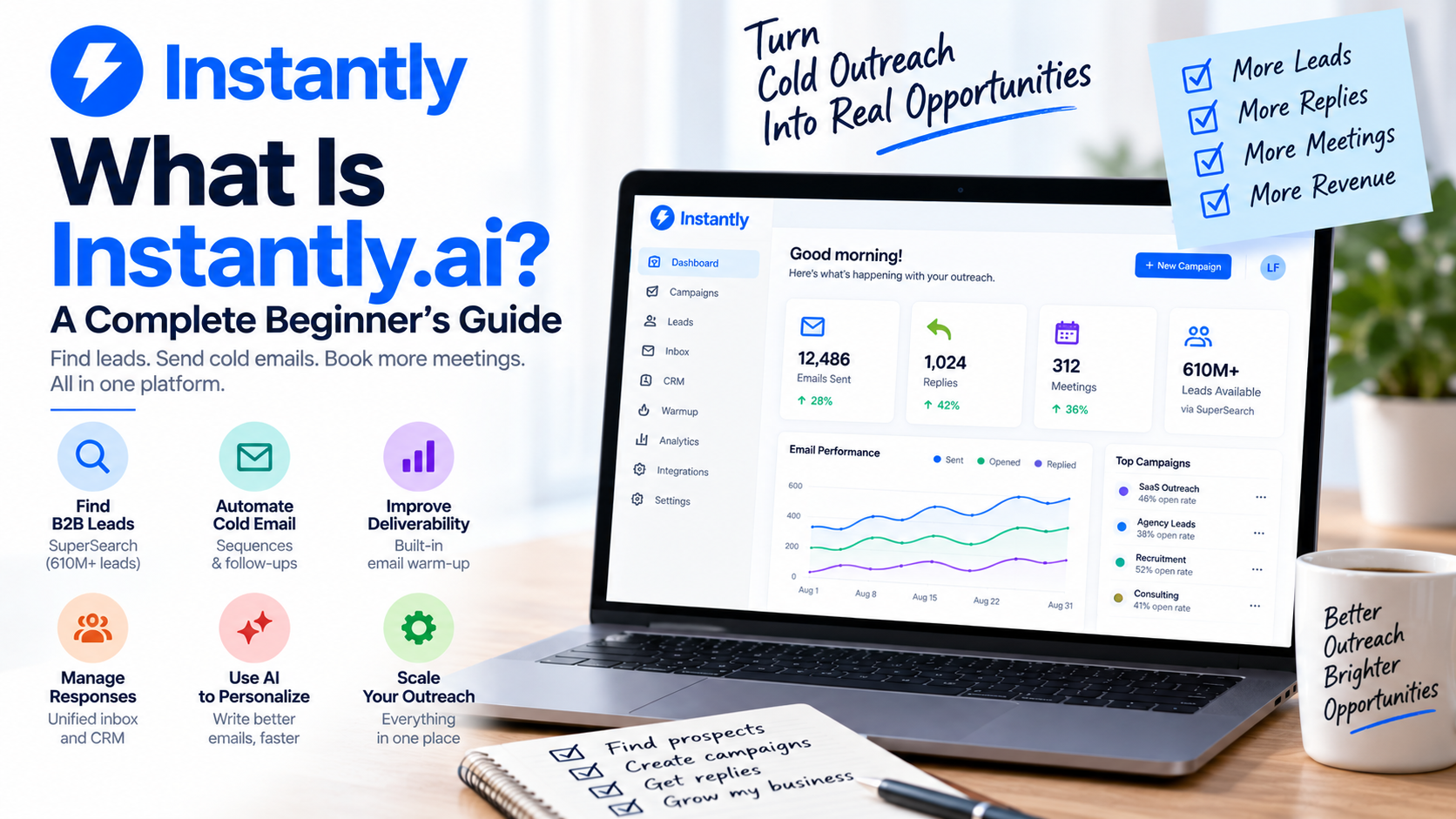
Instantly.ai is a sales platform built primarily around cold email outreach and B2B prospecting. It combines email automation with lead discovery, enrichment, email warm-up, AI-powered tools, deliverability features, and CRM capabilities. (Instantly Help Center)
If you're completely new to the platform, here's what you need to know.
What Exactly Is Instantly.ai?
At its core, Instantly.ai helps businesses find potential customers and contact them through automated email campaigns.
Instead of manually sending an individual email to every prospect, you can build sequences that automatically handle much of the process.
For example, your sequence could look like this:
Day 1: Introduction email
Day 4: First follow-up
Day 8: Second follow-up
Day 14: Final follow-up
Once everything is configured, the platform manages the sending schedule.
But Instantly.ai has expanded beyond simply sending emails. Its current platform separates capabilities into areas including Email Outreach, Credits for prospecting and AI features, CRM, Inbox Placement, and email infrastructure services. (Instantly Help Center)
That makes it closer to a broader outbound sales ecosystem.
Find B2B Prospects with SuperSearch
Before running a campaign, you need people to contact.
Instantly.ai includes a prospecting system called SuperSearch.
As of August 2026, the company's help documentation says SuperSearch provides access to a database of 610+ million B2B leads, along with 13 search filters, lookalike searching, waterfall work-email enrichment using multiple providers, company information, and additional enrichment around areas such as technology, funding, news, and job postings. (Instantly Help Center)
For a beginner, the workflow can be remarkably straightforward.
Suppose you run a marketing agency targeting SaaS companies.
You could search for something like:
Founders of SaaS companies in the United States with 20–100 employees.
You can then refine your audience, enrich the records, and move suitable prospects into an outreach campaign.
This reduces the need to maintain completely separate tools for prospecting and cold email.
Connect Multiple Email Accounts
One of the features that makes Instantly.ai particularly interesting for teams scaling outbound campaigns is its approach to sending accounts.
Paid Email Outreach plans currently support unlimited connected email accounts and unlimited email warm-up. The free trial is limited to two accounts. (Instantly Help Center)
Why would you need multiple accounts?
Deliverability.
Sending a huge volume of cold emails through a single mailbox can damage its reputation. A more controlled approach distributes sending across properly configured accounts while keeping daily volumes reasonable.
That doesn't mean unlimited accounts equal unlimited sending. Plans still have monthly email and uploaded-contact limits, and responsible sending practices remain important. (Instantly Help Center)
Email Warm-Up Is Built In
This is one of the most important concepts for beginners to understand.
A brand-new email account doesn't have much sending history.
If you create one today and immediately blast hundreds of emails, email providers may view that activity suspiciously.
Warm-up is designed to gradually establish sending activity and reputation.
Instantly.ai provides automated warm-up in which participating accounts exchange messages and engagement within its warm-up network. The company's current guidance recommends warming a typical new account for at least two weeks before launching campaigns and aiming for a warm-up health score above 90%. (Instantly Help Center)
The platform also lets you test important DNS records including MX, SPF, DKIM, and DMARC. (Instantly Help Center)
Deliverability can get technical very quickly, so having these tools within the same environment as your campaigns is useful.
Build Automated Email Campaigns
Once your accounts are ready and you've found your prospects, you can create a campaign.
A typical campaign in Instantly.ai consists of a prospect list and an email sequence.
Leads can currently be added through CSV, SuperSearch, manual entry, Google Sheets, HubSpot, or Pipedrive. (Instantly Help Center)
You then write your emails and follow-ups.
This is where automation becomes valuable.
Imagine having 1,000 prospects.
Sending the first email manually is already time-consuming. Remembering who needs a follow-up three days later makes the process significantly more complicated.
The platform handles that sequencing automatically according to your campaign configuration.
Your job becomes improving the strategy rather than manually clicking Send hundreds of times.
Personalization and AI
Automation shouldn't mean sending exactly the same generic message to everyone.
Instantly.ai now includes several AI capabilities for research, enrichment, email writing, replies, and sales workflows. Its SuperSearch offering includes access to multiple major language models, an AI Email Writer Agent, Web Researcher Agent, community AI templates, and enrichment tools. (Instantly Help Center)
That can help you research prospects and create more relevant messages at scale.
But I wouldn't use AI as an excuse to stop reviewing your campaigns.
The fundamentals still matter.
Your message needs a clear reason for contacting someone, a relevant value proposition, and an easy next step.
AI should make that process more efficient—not turn your outreach into generic automated spam.
Manage Replies in One Place
Sending emails is only half the job.
Eventually, people respond.
That's where managing replies becomes important, especially if you're sending through several different accounts.
Rather than constantly jumping between inboxes, Instantly.ai provides tools for centralizing outreach operations and handling responses.
The platform has also expanded into CRM functionality covering emails, calls, SMS, tasks, and LinkedIn connections. (Instantly Help Center)
For small outbound teams, that could reduce the number of separate applications required to manage conversations.
Businesses with more complicated sales operations may still prefer a dedicated CRM, but the built-in functionality makes the overall platform more comprehensive.
Monitor Your Campaign Performance
Once your campaign is running, you need to understand what's happening.
Email and account analytics are included across the current Email Outreach plans, including the free trial. (Instantly Help Center)
This lets you move away from guessing.
If prospects aren't responding, perhaps your targeting is wrong.
Maybe your subject line needs improvement.
Perhaps your offer isn't compelling.
Or you could have a deliverability problem.
Outbound sales works best when you treat campaigns as experiments that can continually be improved.
What Does Instantly.ai Cost?
One thing beginners should understand is that Instantly.ai has multiple subscription categories rather than one plan containing absolutely everything.
For Email Outreach, the current Growth plan is listed at $47 per month and includes unlimited email accounts, unlimited warm-up, 1,000 uploaded contacts, and 5,000 emails per month. Higher tiers significantly increase those limits. (Instantly)
Prospecting and enrichment use a separate Credits offering, while CRM and Inbox Placement can also have their own subscriptions. (Instantly Help Center)
This is important when comparing prices with competitors.
Don't compare only the headline monthly fee. Think about which parts of the platform your business actually needs and calculate your total stack accordingly.
Who Should Use Instantly.ai?
I think the platform makes the most sense for B2B companies, agencies, consultants, startups, recruiters, sales teams, and lead-generation businesses that rely heavily on outbound email.
It's especially attractive when you want to scale beyond manually sending a few emails every day.
For example, a consultant could build a list of companies matching their ideal customer profile, enrich those prospects, create a personalized campaign, automatically follow up, and manage responses—all without manually handling every stage.
That's where automation starts providing meaningful value.
A Simple Beginner Workflow
If I were starting from scratch, I wouldn't immediately try to use every feature.
I'd keep the first campaign simple:
Define your ideal customer → configure your sending domain and accounts → enable warm-up → build a targeted prospect list → verify your leads → write a short email sequence → launch gradually → monitor replies and deliverability → improve the campaign.
Importantly, Instantly.ai itself recommends checking DNS authentication and completing the warm-up phase before launching. Its current pre-launch guidance recommends at least two weeks of warm-up, with three to four weeks recommended for new domains. (Instantly Help Center)
Don't start by trying to send thousands of emails.
Learn the system with a focused campaign first.
Final Thoughts
So, what is Instantly.ai?
The simplest explanation is that it's an outbound sales and cold email platform designed to help you find prospects, prepare sending accounts, automate outreach, improve deliverability, personalize campaigns, manage responses, and scale the overall process.
The biggest attraction is how many pieces of the outbound workflow can now live inside one ecosystem.
Instead of stitching together a prospecting database, email verification service, warm-up platform, cold email sender, AI writing tool, deliverability system, and basic CRM functionality, Instantly.ai can potentially consolidate a significant portion of that stack.
It won't make a bad offer compelling or automatically turn poorly targeted leads into customers.
But if you already know who you want to reach and why they should care, Instantly.ai gives you the infrastructure to reach those people much more efficiently.
If you need help setting up Instantly.ai, get in touch with me.