
What Is Warmforge? A Complete Beginner's Guide
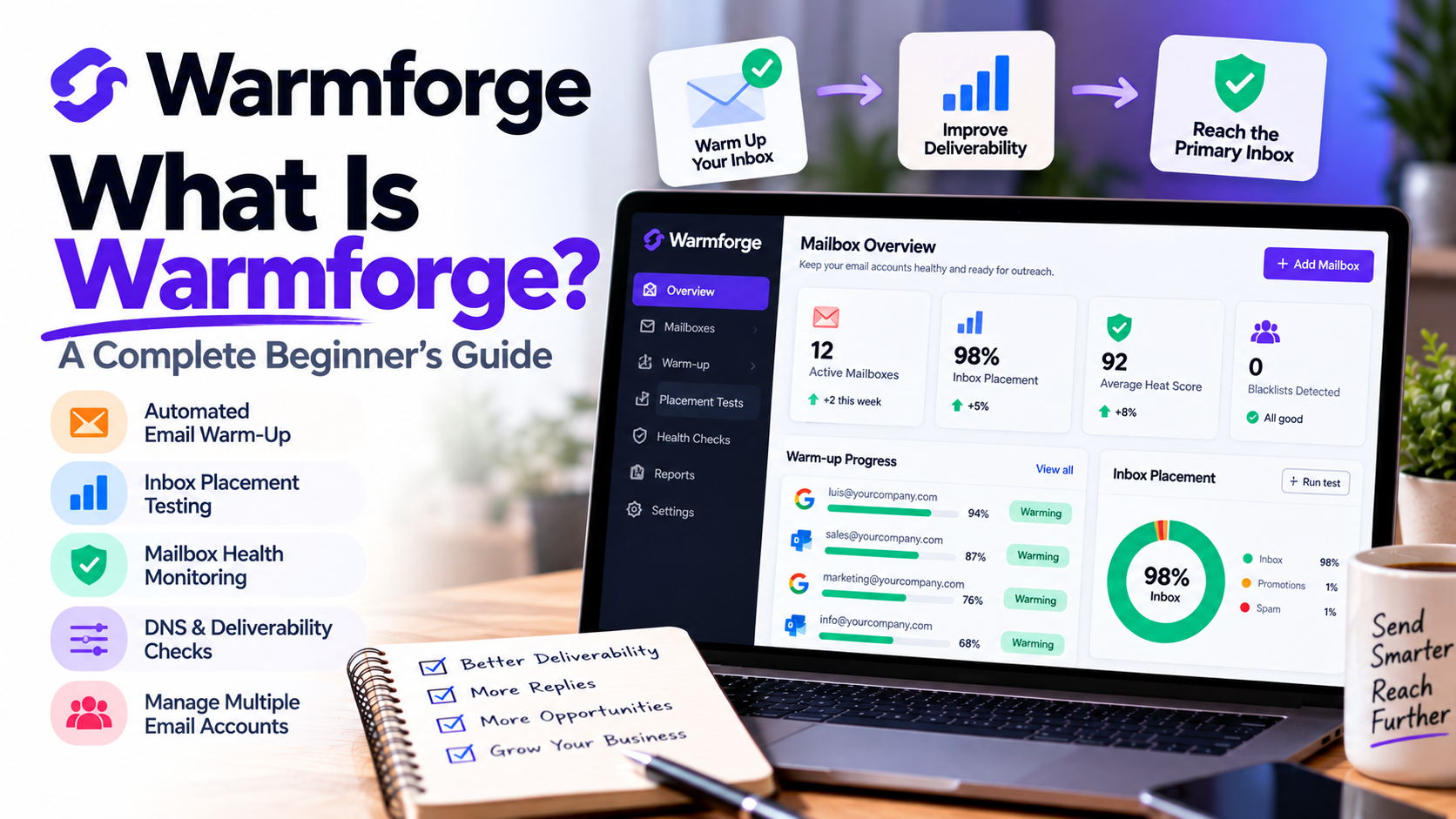
If you've ever sent a cold email campaign and wondered why nobody responded, the problem might not be your message.
Your emails might not even be reaching your prospects' inboxes.
Email deliverability is one of the biggest challenges businesses face when running cold email campaigns. You can spend hours researching prospects, writing personalized messages, and building outreach sequences, but none of that matters if your emails consistently land in spam folders.
That's where Warmforge comes in.
Warmforge is an email warm-up and deliverability platform designed to help businesses prepare their email accounts for outreach, monitor mailbox health, and identify potential deliverability problems.
But how exactly does it work? And is it something your business actually needs?
In this beginner's guide, I'll explain what Warmforge does, its main features, and how it fits into a modern cold email strategy.
What Is Warmforge?
Warmforge is a software platform focused on improving and monitoring email deliverability.
Its primary purpose is to help businesses build consistent sending activity through automated email warm-up while providing tools to monitor email account health.
Instead of manually sending emails back and forth to establish activity on a new mailbox, the platform automates much of that process.
It also provides inbox placement testing, DNS health checks, blacklist monitoring, and mailbox reputation indicators.
The goal is simple: help businesses understand whether their email accounts are ready for outreach and identify issues that could prevent messages from reaching recipients.
It's particularly relevant for companies that depend on cold email to generate leads, book sales meetings, or establish relationships with potential customers.
Why Does Email Warm-Up Matter?
Before understanding how Warmforge works, it's important to understand email warm-up.
Imagine you create a brand-new business email address.
The next day, you start sending hundreds of cold emails.
From an email provider's perspective, this sudden increase in activity can appear suspicious.
New email accounts have little sending history, and unusual sending patterns can contribute to messages being filtered or rejected.
Email warm-up attempts to address this problem by gradually establishing regular sending and receiving activity.
Instead of immediately sending large volumes, you begin with a smaller amount of email traffic and increase activity over time.
This can help establish a more consistent sending pattern.
However, warm-up alone doesn't guarantee successful delivery. Email authentication, message relevance, recipient engagement, complaint rates, and sending practices remain important.
How Does Warmforge Work?
The process is designed to be relatively straightforward.
You connect a supported email account to Warmforge and enable automated warm-up.
The platform then uses AI-generated messages and automated interactions within its warm-up network to simulate ordinary email conversations.
These interactions include sending and receiving messages, helping establish ongoing activity for the connected mailbox.
Rather than manually managing the process, you can monitor activity through the platform's dashboard.
Warmforge also provides tools to examine mailbox health and test where emails are being delivered.
This combination of automation and monitoring is what makes the platform more than a basic email warm-up service.
1. Automated Email Warm-Up
The main feature of Warmforge is automated email warm-up.
The platform generates email conversations using AI and conducts warm-up activity through its network of mailboxes.
For someone managing several email accounts, this can save a significant amount of manual work.
For example, imagine a marketing agency preparing five new email accounts for upcoming outreach campaigns.
Instead of manually sending messages from each account, the agency can connect those mailboxes and manage warm-up from one platform.
The automation helps maintain consistent activity while the team focuses on building prospect lists and preparing campaigns.
2. Inbox Placement Testing
One of the most useful features is inbox placement testing.
Just because an email was successfully sent doesn't mean it reached the recipient's primary inbox.
It might have landed in spam or another filtered folder.
Warmforge allows users to conduct placement tests by sending test messages to addresses hosted by different email providers.
These tests help identify whether messages reach inboxes or are filtered elsewhere.
For example, you might discover that your messages perform well with Google-hosted inboxes but encounter problems with Microsoft-hosted accounts.
That information can help you investigate deliverability problems before launching a larger campaign.
Placement tests are diagnostic tools, however, and cannot guarantee where every future email will land.
3. Mailbox Health Monitoring
Email deliverability isn't something you should check only once.
Your mailbox configuration, reputation, and sending performance can change over time.
Warmforge includes health checks that examine important technical elements of your email setup.
These include:
DNS records: Settings that help establish how your domain handles email.
MX records: Records identifying the servers responsible for receiving email.
Email authentication: Configuration involving SPF, DKIM, and DMARC.
Blacklist status: Checks for listings that could indicate deliverability concerns.
These checks can help you identify technical issues that deserve attention.
For businesses managing multiple domains and email accounts, having this information available in one place can make troubleshooting easier.
4. Heat Score and Mailbox Reputation
Another feature is the platform's Heat Score.
This is a mailbox health indicator designed to help users evaluate their warm-up progress and sending readiness.
Instead of relying entirely on guesswork, you can review the score alongside other deliverability information.
For example, if a mailbox has a concerning score, you might investigate its configuration or run additional placement tests before increasing outreach volume.
The important distinction is that a high Heat Score doesn't guarantee inbox placement.
It's a useful indicator, but it should be considered alongside real-world sending performance and other email health signals.
5. Manage Multiple Email Accounts
Businesses running outbound campaigns often use several email accounts.
A sales agency might manage inboxes for different representatives, while a marketing agency might oversee separate accounts for multiple clients.
Warmforge uses mailbox slots to organize warm-up and monitoring.
Each slot represents a mailbox that can be connected and managed.
This makes it possible to oversee multiple accounts without treating every inbox as an entirely separate project.
It's particularly useful when email deliverability becomes an ongoing operational responsibility rather than a one-time setup task.
6. Works Alongside Cold Email Outreach Tools
One important thing to understand is that Warmforge isn't intended to replace your entire sales outreach platform.
Its main focus is email warm-up and deliverability.
For example, you might use Apollo.io to research B2B prospects and build contact lists.
You could then use Instantly.ai, Lemlist, or another outreach platform to manage your email sequences.
Meanwhile, Warmforge helps you prepare and monitor the mailboxes used for sending.
It also works within the broader Forge ecosystem, including Salesforge.
Think of it as part of your email infrastructure rather than a complete lead generation solution.
How Much Does Warmforge Cost?
Warmforge offers mailbox-based pricing for its warm-up services.
According to its published pricing information, the platform offers a free warm-up slot and a free monthly placement test, with additional mailbox slots available through paid subscriptions.
Published paid warm-up pricing includes approximately $9 per mailbox per month with annual billing, although prices depend on the billing arrangement.
Separate placement-testing subscriptions are also available for businesses that need more frequent testing.
For example, a small business managing only one or two mailboxes may have different requirements from an agency managing dozens of accounts.
Because pricing and plan inclusions can change, it's worth reviewing the latest options before subscribing.
Who Should Use Warmforge?
I think the platform is particularly relevant for several types of businesses.
B2B sales teams: Sales professionals who regularly contact new prospects can use deliverability monitoring to support their outreach infrastructure.
Marketing agencies: Agencies managing email accounts for multiple clients may benefit from centralized warm-up and monitoring.
Freelancers and consultants: Independent professionals using cold email to find clients can prepare their sending accounts before launching campaigns.
Startups: Growing businesses building outbound sales processes can incorporate deliverability checks into their initial setup.
Lead generation agencies: Teams managing multiple sending accounts can monitor technical health and conduct placement tests as part of their regular workflow.
However, if your business rarely sends outbound emails and relies primarily on existing customer communication, you may not need a dedicated warm-up platform.
Pros and Cons of Warmforge
Pros
Automates email warm-up activity.
Provides inbox placement testing.
Includes DNS and blacklist health checks.
Helps monitor multiple mailboxes.
Offers a mailbox health indicator.
Can complement existing cold email outreach platforms.
Cons
Does not replace a complete sales engagement platform.
Costs can increase as you add mailbox slots.
Additional placement testing may require a separate subscription.
Warm-up cannot guarantee inbox placement or repair poor outreach practices.
These trade-offs are worth considering before deciding whether the platform fits your business.
How to Get Started with Warmforge
If you're interested in trying the platform, I would recommend starting with a simple process.
Step 1: Create an account and explore the dashboard.
Step 2: Connect a supported business email account.
Step 3: Review your mailbox's DNS, authentication, and health information.
Step 4: Enable automated warm-up and allow time for activity to develop.
Step 5: Monitor your Heat Score and run an inbox placement test.
Step 6: Begin outreach gradually, using relevant messaging and appropriately sourced contact lists.
Step 7: Continue monitoring deliverability as your campaigns run.
Remember that a good outreach strategy also requires accurate targeting, appropriate consent or another valid legal basis, clear identification, and compliance with applicable email marketing laws.
No warm-up platform can substitute for those fundamentals.
Final Thoughts: Is Warmforge Worth Considering?
If your business relies on cold email outreach, deliverability deserves attention.
There's little value in building an excellent prospect list and writing compelling emails if your messages never reach the intended recipients.
That's why I think Warmforge is worth exploring.
It combines automated email warm-up, mailbox health monitoring, inbox placement testing, and reputation indicators in a platform designed specifically for deliverability management.
It's not a magic solution that guarantees every email will reach the inbox.
But it can provide useful visibility into the condition of your sending accounts and help you identify issues before they affect larger campaigns.
For consultants, agencies, startups, and B2B sales teams, that can make it a valuable addition to an outbound sales toolkit.
The goal isn't simply to send more emails. It's to build a reliable email infrastructure that supports better outreach over time.
If you're ready to explore automated warm-up and email deliverability monitoring, get started with Warmforge and see how it fits into your business.
If you need help setting up Warmforge, get in touch with me.