
ClickUp vs Monday.com: Which Project Management Platform Is Better?
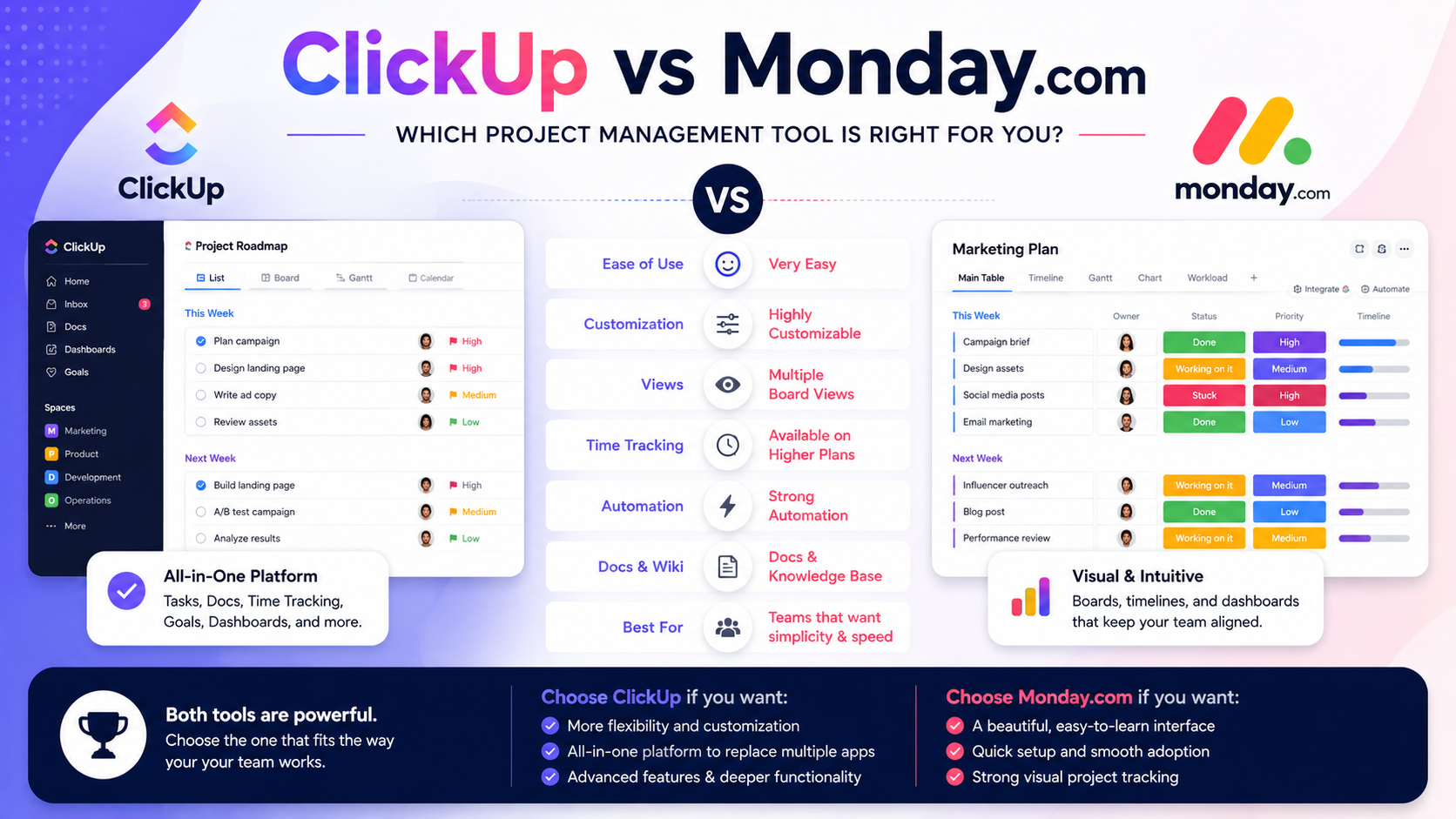
Choosing a project management platform sounds simple until you actually start comparing them.
You want task management—but also dashboards. You need automations—but probably documents too. Some teams need time tracking. Others care more about an interface employees can learn quickly. And ideally, you don't want to add five more applications just to fill the gaps.
Two names you'll encounter constantly are ClickUp and Monday.com.
Both are excellent work management platforms, but they take noticeably different approaches.
Monday.com emphasizes an approachable, highly visual board-based experience. ClickUp goes deeper, aiming to bring tasks, projects, Docs, time tracking, dashboards, automations, sprints, and other work-management capabilities into a single workspace.
So which should you choose?
Let's compare them.
What Is ClickUp?
ClickUp is an all-in-one productivity and work management platform.
At its core, you can use it to organize projects through tasks, subtasks, checklists, dependencies, custom fields, and multiple project views.
But project management is only part of the story.
Depending on your plan and setup, ClickUp can also bring together capabilities such as Docs, dashboards, time tracking, automations, integrations, sprint management, whiteboards, workload management, and AI-powered functionality.
That's why I tend to think of it as more than a task manager.
The larger vision is essentially:
Put more of your company's actual work into one system.
What Is Monday.com?
Monday.com is also a work management platform, but its identity is heavily centered around customizable visual boards.
Teams can create boards for projects, clients, campaigns, processes, operations, and many other workflows.
You can then customize those boards with different columns, statuses, people, dates, dependencies, files, automations, integrations, and views.
The platform also offers Docs, dashboards, forms, templates, AI functionality, and separate products targeted toward areas such as CRM, development, and service.
It's a polished system and, for many teams, relatively easy to understand.
The Biggest Difference
If I had to explain the difference in one sentence, I'd put it this way:
Monday.com prioritizes visual simplicity, while ClickUp prioritizes depth and flexibility.
That doesn't mean Monday.com isn't powerful.
And it certainly doesn't mean ClickUp can't be simple.
It's about their default philosophies.
Monday.com's colorful board interface makes it relatively easy to understand what is happening across a project. Even ClickUp's own comparison describes Monday.com as having a polished board interface that teams can learn relatively quickly.
With ClickUp, you get more ways to configure how work is structured and viewed.
That's fantastic when you need flexibility.
But it can also mean spending more time configuring your workspace.
Task and Project Management
Both platforms are strong here.
You can organize projects, assign work, create deadlines, track status, and manage dependencies.
Monday.com uses items and subitems as the foundation of its boards.
ClickUp uses tasks and subtasks, along with checklists and dependencies.
Where ClickUp begins pulling ahead for me is the sheer depth of how you can organize and visualize that work.
Its available views include options such as Board, Gantt, Calendar, Timeline, Workload, Table, and Mind Map. Monday.com also provides Board, Gantt, Calendar, Timeline, Chart, Map, Workload, and Form views, although availability can depend on your plan.
My pick: ClickUp for flexibility.
Which Is Easier to Use?
I'd give Monday.com the edge here.
If I invited ten employees into both platforms with very little explanation, I suspect more people would immediately understand Monday.com's board structure.
Its visual approach is one of its biggest strengths.
You create rows of work, add columns, assign people, change statuses, and watch everything update.
ClickUp can require more thought.
You have to decide how you want to structure Spaces, Folders, Lists, tasks, views, statuses, custom fields, and other elements.
That's not necessarily a weakness.
Flexibility creates complexity.
Once configured properly, that additional structure can become one of its greatest advantages.
My pick: Monday.com for initial ease of use.
Documents and SOPs
This category matters more than people realize.
Project management software tells employees what needs to happen.
Documentation tells them how to do it.
Both platforms offer document functionality. Monday.com's Free plan, for example, currently includes up to three Docs, while higher tiers expand the overall work-management environment.
ClickUp also has Docs built into its workspace.
I particularly like this for creating:
SOP libraries
Internal documentation
Meeting notes
Project briefs
Client information
Process documentation
Training resources
For businesses trying to create an operational hub rather than simply track tasks, having documentation alongside projects is extremely useful.
My pick: ClickUp, especially for businesses building a centralized operating system.
Time Tracking
This is one of the clearer differences.
Under the pricing structure verified by ClickUp in April 2026, native time tracking is included with its Unlimited plan, while Monday.com's native time-tracking column is available on its Pro Work Management tier.
That matters for:
Agencies
Consultants
Professional services
Freelancers
Development teams
Businesses tracking billable hours
If time tracking is essential to your operation, I'd look carefully at the tier you'd need on each platform rather than comparing only their advertised entry prices.
My pick: ClickUp.
Automations
Both platforms allow businesses to automate repetitive work.
Imagine a marketing workflow:
Writer completes draft → status changes → editor gets assigned → editor receives notification → due date gets created.
That's exactly the kind of administrative busywork you don't want employees doing manually every day.
Monday.com's Standard Work Management plan currently includes 250 automation actions and 250 integration actions per month. Its higher tiers dramatically increase those allowances.
ClickUp's April 2026 comparison listed 1,000 automation actions per month on Unlimited and 5,000 on Business.
However, both companies change plans and packaging over time—ClickUp is currently rolling out new AI-inclusive plans to some workspaces—so I'd verify current limits before making a purchasing decision.
My pick: It depends on your plan and automation volume.
Dashboards and Reporting
Both products can provide useful management visibility.
This matters because project management isn't only about employees knowing what to do.
Managers need answers too:
What's overdue?
Which projects are behind schedule?
Who's overloaded?
What did we complete this month?
Where are our bottlenecks?
Monday.com has strong visual dashboards, and its paid tiers increase the number and sophistication of reporting options.
ClickUp also provides dashboards, with advanced dashboard capabilities available on higher plans.
I wouldn't choose between the two solely on dashboards.
I'd choose based on which underlying work-management system your employees will actually keep updated.
Because a beautiful dashboard containing outdated data isn't particularly useful.
What About Pricing?
Pricing changes, so I wouldn't make a long-term decision based on a few dollars per month.
Still, there are meaningful structural differences.
In ClickUp's April 2026 comparison, its established pricing was listed at $7 per user/month for Unlimited and $12 for Business when billed annually. However, ClickUp is now rolling out new plan options to some workspaces, so the exact plans offered can vary.
Monday.com's current Work Management pricing lists Basic at $9 per seat/month, Standard at $12, and Pro at $19 when billed annually. Its free plan supports up to two seats and three boards.
There can also be differences in seat requirements and feature availability.
So don't ask:
"Which has the cheapest plan?"
Ask:
"Which plan contains all the features my team actually needs?"
That's the number that matters.
Which Is Better for Small Businesses?
For many small businesses, I'd choose ClickUp.
The reason is consolidation.
A small business might need:
Tasks + Docs + time tracking + dashboards + automations + project views + integrations
Getting more of those capabilities into one platform can reduce the need for additional subscriptions.
Monday.com remains an excellent option if ease of adoption is your highest priority.
If your team doesn't need extensive customization and simply wants a clean, visual way to manage work, Monday.com could actually be the better choice.
Which Is Better for Agencies and Consultants?
I'd lean toward ClickUp again.
Agencies and consulting firms often need to manage:
Multiple clients
Repeating projects
SOPs
Deliverables
Deadlines
Time
Workload
Internal tasks
Client-specific workflows
Native time tracking at a lower plan level is particularly attractive for service businesses.
You can also create templates so every new client doesn't require rebuilding the same project structure from scratch.
Which Is Better for Teams That Want Simplicity?
And that's not a backhanded compliment.
Software only creates value when people actually use it.
Some businesses don't need an incredibly sophisticated operating system.
They need employees to open a board, see their responsibilities, update their work, and move on.
Monday.com is very good at that.
For less technical teams or organizations where rapid adoption matters more than deep customization, I'd seriously consider it.
Can You Switch From Monday.com to ClickUp?
Yes.
ClickUp supports importing data from Monday.com. According to its current documentation, boards, items, and basic field data can transfer, although custom column configurations and automations may need to be rebuilt.
That means you're not necessarily locked into your first decision forever.
Still, migrations consume time.
It's much better to spend a little more time thinking about your long-term requirements before committing your entire organization to either platform.
My Verdict: ClickUp vs Monday.com
Both are excellent platforms.
I'd choose Monday.com if my priorities were:
Simplicity, visual project management, fast onboarding, and an interface employees can understand quickly.
I'd choose ClickUp if my priorities were:
Customization, deeper project management, time tracking, documentation, multiple views, and consolidating more business operations into one workspace.
For a growing SMB, agency, consultant, or operations-heavy team, my personal preference would generally be ClickUp.
Not because Monday.com is inferior.
It's because I like the idea of having fewer disconnected systems.
Final Thoughts
The best project management software isn't necessarily the one with the longest feature list.
It's the one your company can build its processes around.
Monday.com offers a polished, approachable system that's especially appealing to teams that value simplicity and visual management.
ClickUp offers a deeper and more customizable environment that can grow from basic task management into something closer to a central operating system for your business.
If you only need simple project tracking, Monday.com may be all you need.
But if you want to bring projects, tasks, Docs, workflows, time tracking, dashboards, automations, and more into one place, I'd give ClickUp a serious look.
Because ultimately, the goal isn't to have better project management software.
It's to spend less time managing your work—and more time actually getting it done.
If you need help setting up ClickUp, get in touch with me.